


BgSub
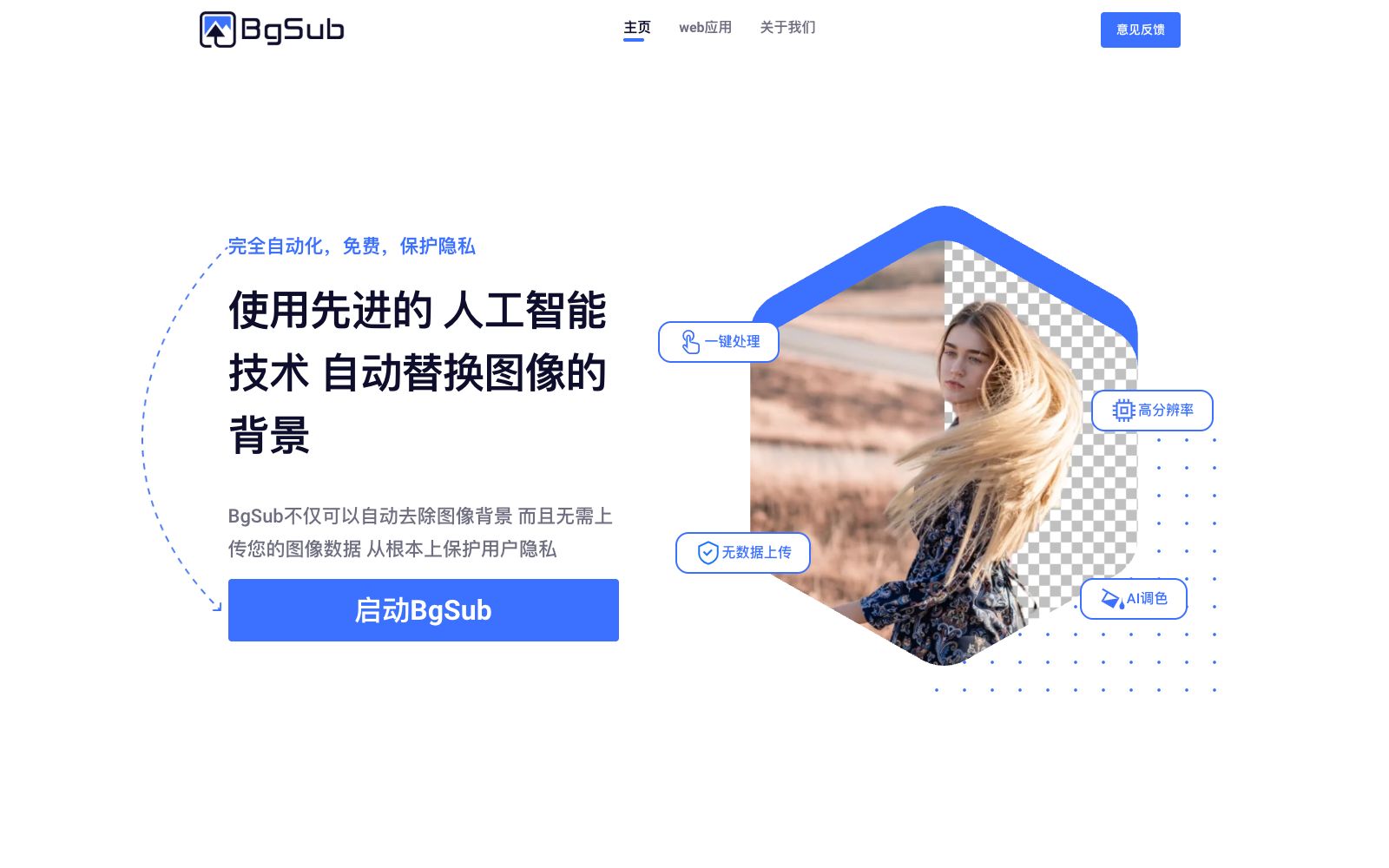
A domestic online AI matting and background replacement tool, the official claims that images are not uploaded and processing is completed locally. It supports background removal, background replacement, AI color adjustment, free adjustment and artistic filters.
Updated: 2026-10-26
What is BgSub?
BgSub is an online image processing tool launched by Shenzhen Deep Image Technology Co., Ltd. The official website title is "Remove or replace image background without uploading images", focusing on "fully automated, free, and privacy protection". Its core difference is emphasizing that images are not uploaded to the server, reducing privacy risks from the source, making it suitable for scenarios with high sensitivity to image compliance.
Who is it for?
- Regular users who need to change the background of social media platforms or personal homepages.
- Photographers who want to change the background of people without a green screen.
- E-commerce operators who need to replace the backgrounds of product images with more eye-catching ones.
- Website and app developers who need clean product images.
- Marketers who create advertising materials and need to quickly change image backgrounds.
Key features
8Remove Image Background
Automatically cuts out the main subject, and the official website indicates support for high-resolution output.
Replace Image Background
Can be changed to solid colors, gradient colors, or another image.
AI Color Adjustment
One-click automatic color adjustment for the image.
Free Adjustment
Freely adjust the size, position, and perform mirror transformations.
Artistic Filters
Quickly apply various artistic effects.
One-click Processing
The workflow is simplified to three steps: upload, process, and download.
One-click Processing
The official website simplifies the process into three steps: upload, process, and download, with no need for manual outlining.
Diverse Subjects
Official website examples cover common shooting subjects such as people, products, animals, clothing and plants.
How to use BgSub
- Edges such as hair, feathers, and transparent materials are difficult to remove in matting, so be sure to zoom in to check the edges after generating the image.
- When changing the background, ensure the light source directions are consistent.
- otherwise, the composite traces will be very obvious.
- For questions regarding commercial licensing, maximum resolution, and batch APIs, the official website's FAQ has dedicated entries.
- please refer to the official website for verification.
- Since it emphasizes local processing, complex images place higher demands on device performance, so it is recommended to process them in batches.
- If processing images containing other people's portraits, first confirm that authorization has been obtained.
- the official website's terms may be adjusted, so please check again before use.
- When you need uniform white-background images, choosing a solid color for the background replacement makes it easier to maintain consistency across the entire batch of images compared to using a gradient.
- The official homepage emphasizes "no data upload".
- If you have extremely high privacy requirements, you can first use an unimportant image to verify the local processing effect.
- If you have a need for batch processing or integration with your own system, the official website's FAQ mentions support for APIs and batch processing, and the specific methods shall be subject to the official website's instructions.
- The official website divides "Remove Image Background" and "Replace Image Background" into two steps.
- First, confirm that the cutout edges are in good condition before replacing the background, which improves efficiency.
- Background replacement supports three types: solid colors, gradients, and images.
- Solid colors are the most reliable choice for e-commerce main images, while gradients can be tried for posters.
- The official website FAQ lists several items including commercial authorization, maximum resolution, privacy protection, and API batch processing.
- It is recommended to verify each one before official commercial use.
Traffic & popularity
Data month Sep 2026
BgSub receives about 22.1K visits per month and ranks #1,088,853 worldwide.
Monthly visits
12 monthsTraffic sources
- Search38.0%
- Direct37.9%
- Referrals14.5%
- Social4.1%
- Display ads3.1%
- Other2.4%
Top countries
- China90.6%
- United Kingdom4.8%
- United States3.1%
- Taiwan, China1.5%
Estimated from third-party traffic data.
Similar tools
 Mokker AIAI background replacement tool for e-commerce product images. Upload a single product photo to apply hundreds of scene templates. It supports mood board reference, product replacement, size adjustment and color control.
 Kou Kou TuKoukou Tu is a toolset focused on permanently free online AI background removal. It is claimed by its official to support batch background removal, handle complex backgrounds and delicate hair strands. It also provides other tools such as pattern extraction, white background images, batch SKU processing, watermark removal, trace-free text modification, image vectorization and infringement detection.
 Secta LabsSecta Labs turns selfies into professional AI headshots, offering a range of styles and tools for clothing, expressions, backgrounds, and retouching. The service emphasizes privacy protection and fast delivery, and also provides enterprise team solutions for organizations that need consistent, high-quality professional portraits.
 ClipdropAI image editing toolset, which can complete background removal, object removal, image enlargement, image expansion, background replacement and text erasure in seconds. It supports size adaptation for various platforms and provides an API for developers to quickly integrate into products.
 Cutout.proAI image editing and video generation platform, providing background removal, portrait matting, object removal, image quality enhancement, colorization and image-to-video, aggregating models such as Nano Banana Pro and Seedream, and offering independent APIs.
 PixelcutAn online AI visual tool for creators, brands and merchants, with 70 million users according to its official website. It offers background removal for images and videos, up to 16x magnification, image expansion, generative retouching and shadows, and supports batch editing, consistency of brand materials and API.