


Magickimg
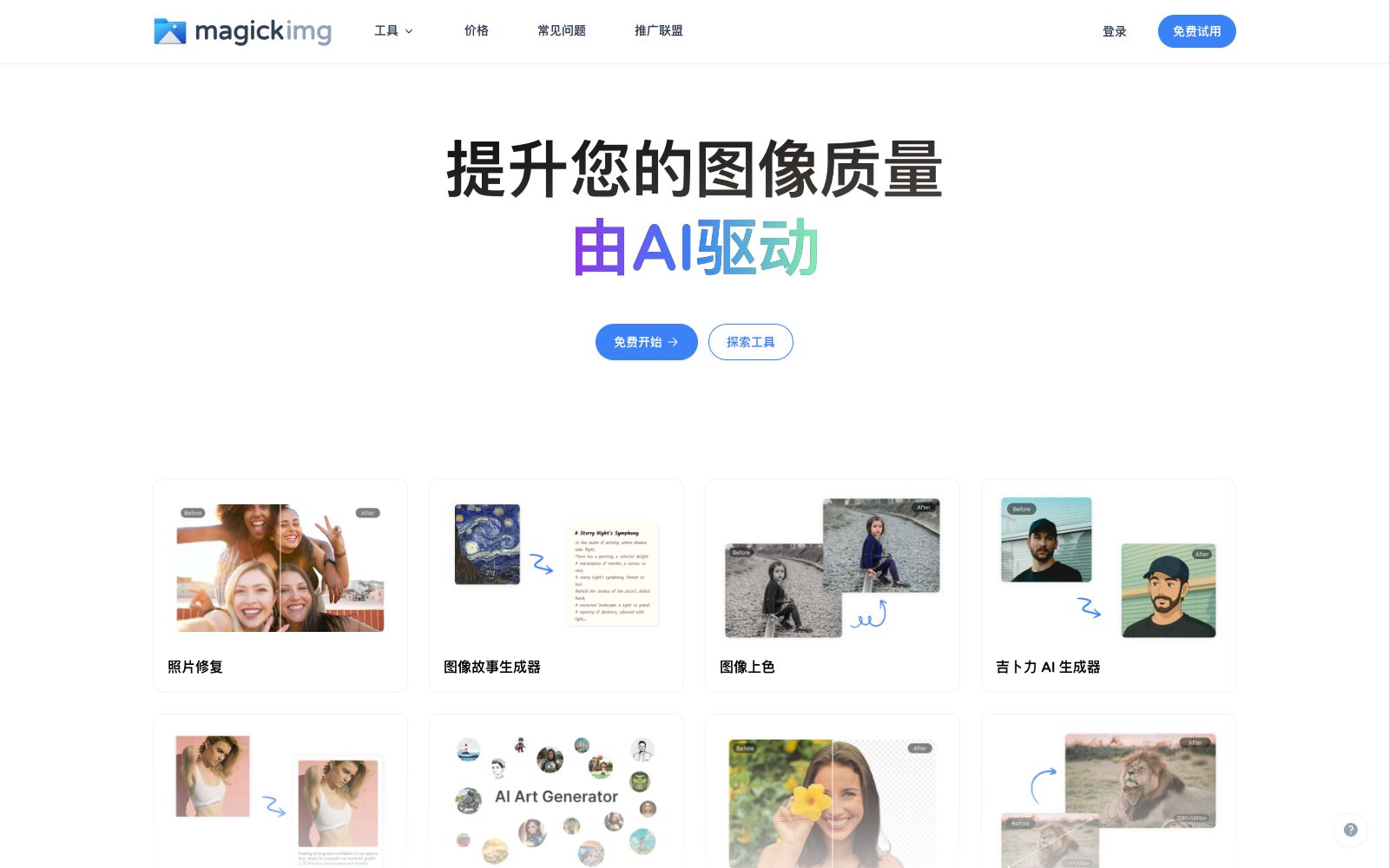
Online AI image processing tool collection, offering image enhancement, lossless enlargement, black-and-white coloring, background removal and passport ID photo production. Free accounts can get 3 free points per month for trial use.
Updated: 2026-10-26
What is Magickimg?
Magickimg is an AI image tool collection website, and its official website title is "AI Images | Photos | Image Tools - Generate Images with AI Based on Pictures and Text". It is more like a toolbox than a single product: it includes editing tools such as enhancement, upscaling, colorization, and background removal, as well as a variety of stylized generators. In addition, it also provides free small tools like image conversion, compression, cropping, and website screenshotting.
Who is it for?
- People who need to edit a single image occasionally and don't want to subscribe to a full set of design software.
- Designers and operations personnel who need to upscale low-definition materials before layout.
- Job seekers and regular users who need to quickly make ID photos and avatars.
- Content editors who want to batch convert, compress, and crop images.
- Creators who create social media content and need style images such as Ghibli-style and sticker-style.
Key features
8AI Image Enhancement
The official website states that image quality is improved through advanced artificial intelligence algorithms.
Image Super Upscaling
Enlarges images while keeping them clear and sharp.
Image Colorization
Colorize black-and-white or old photos.
Remove Background
One-click subject extraction.
Magic Image Editor
Edits based on images and text.
Passport Photo Maker
Creates passport photos that meet specifications; the platform also features Ghibli-style generators, avatar generators, studio photo generators, AI sticker generators, and more.
Fast and Easy to Use
The official website states that the interface is user-friendly, and image enhancement can be completed with just a few clicks.
Safe and Reliable Service
The official website states that uploaded photos are processed securely, with privacy and data security as top priorities.
How to use Magickimg
- 1The official website's FAQ states: Uploaded and generated files are deleted after 1 hour, so be sure to download them promptly after generation.
- 2Free accounts only come with 3 credits per month, come with watermarks and offer limited quality; use it to test the effects first before deciding to subscribe.
- 3The scoring rule is 1 credit per image, but avatars cost 2 credits and super zoom costs 3 credits, so please plan your usage carefully.
- 4The official website clearly states that refunds are not provided due to the high cost of GPUs, and it is recommended to fully evaluate with the free quota before subscribing.
- 5Subscriptions can be canceled at any time and will take effect at the end of the current billing cycle; prices and benefits may be adjusted, please refer to the latest instructions on the official website.
- 6There are many tools available. First, categorize them into "AI Tools," "Edit Images," and "Free Tools," then select specific functions.
- 7The official website's FAQ states that uploaded and generated files are deleted after 1 hour, and no refunds are provided due to the high cost of GPUs. Please fully evaluate before subscribing.
Traffic & popularity
Data month Sep 2026
Magickimg receives about 95.8K visits per month and ranks #323,444 worldwide.
Monthly visits
12 monthsTraffic sources
- Direct40.2%
- Search34.6%
- Referrals10.5%
- Social6.2%
- Display ads2.8%
- Other5.7%
Top countries
- Russia25.8%
- United States10.7%
- India7.5%
- France6.8%
- Germany6.5%
Estimated from third-party traffic data.
Similar tools
 IMG2GOAn online image editing and conversion toolset in the browser that offers 28 applications such as compression, resizing, cropping, background removal, AI photo retouching, AI colorization and AI upscaling, and supports mutual conversion of formats like JPG, PNG, WEBP and PDF.
 PixalicePixalice's official website is positioned as an AI image and video generator: it supports generating images from text or photos, animating reference images into short videos, enhancing photos and applying preset styles, as well as putting multiple image and video models into the same online creation workbench.
 VanceAIVanceAI provides a web-based and Windows desktop AI image and video processing toolset. The official version lists models such as upscaling, sharpening, denoising, background removal, and old photo restoration, and supports batch and local offline processing.
 Nightmare AIOnline AI image upscaling and enhancement tool, which has two types of models for photos and anime respectively. According to the official website, it can upscale images by 2x and 4x and output them to 2K and 4K resolutions. It supports JPG, PNG and WebP formats.
 Cutout.proAI image editing and video generation platform, providing background removal, portrait matting, object removal, image quality enhancement, colorization and image-to-video, aggregating models such as Nano Banana Pro and Seedream, and offering independent APIs.
 Upscale.mediaOnline AI image upscaling and enhancement tool. Officially, it can upscale images by 2x or 4x without losing texture details. New users get the first 3 points upon registration. It also offers features like sharpening, deblurring, dehazing, face restoration, old photo colorization, batch conversion, and API access.