


Let's Enhance
Online AI image quality enhancement and upscaling tool that offers three types of processing: correction, upscaling, and restoration. The official states that it can achieve up to 16x magnification, supports 512MP and 300DPI output, and also provides API and e-commerce solutions under Claid.ai.
Updated: 2026-10-26
What is Let's Enhance?
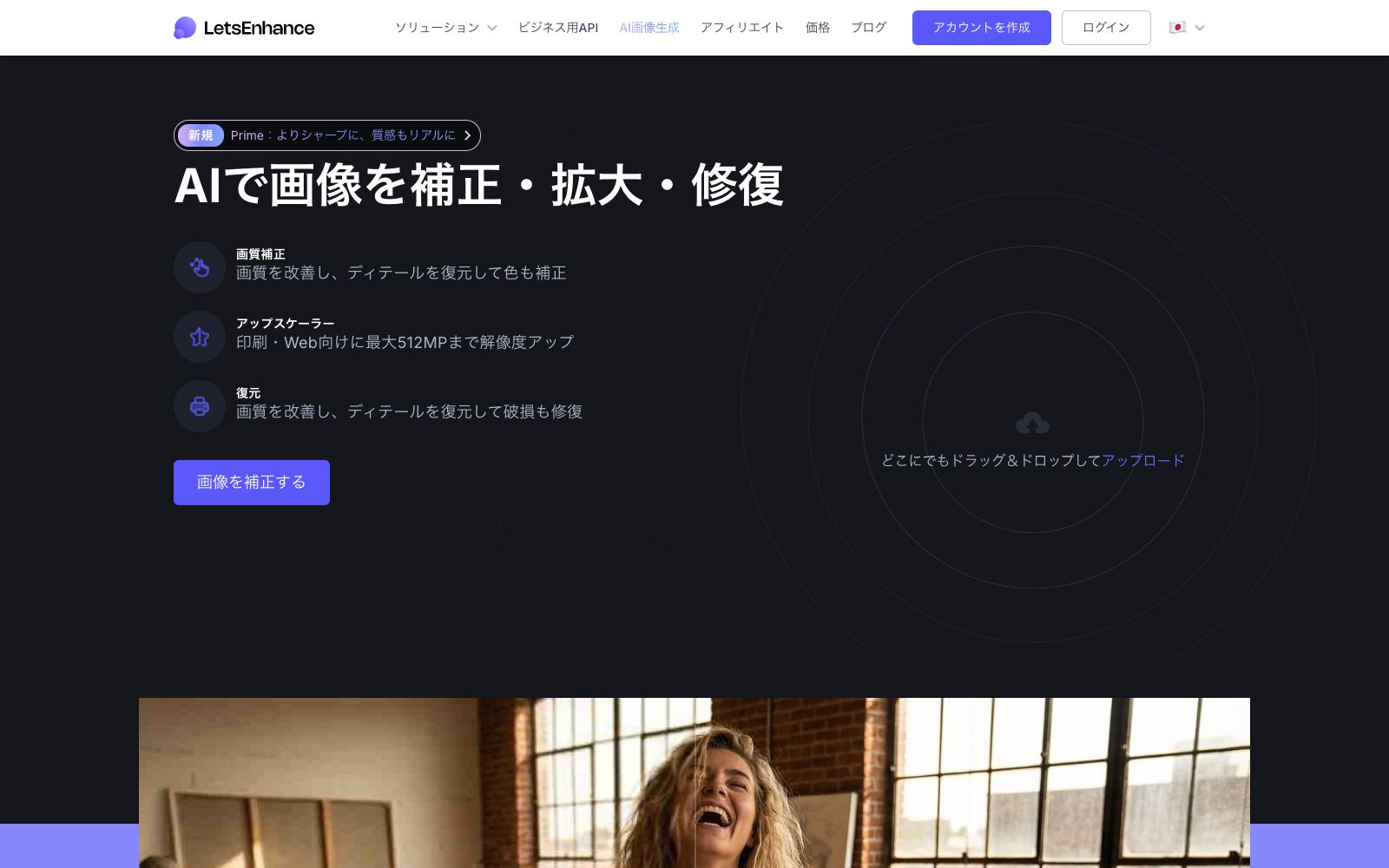
Let's Enhance is an online AI image quality enhancement and upscaling tool. The main title on its official Japanese website is "Correct, Upscale, and Restore Images with AI", and it divides image processing into three categories: quality correction, upscaling, and restoration. Its difference from similar upscaling tools lies in its emphasis on "AI correction that leaves no visible AI traces" — the official claims that many tools overprocess, making skin look plastic, with unnatural halos or an artificial appearance. Let's Enhance restores the original details and naturally corrects colors to reduce retouching traces, and the system automatically optimizes the processing intensity according to the image's needs. The official website indicates that it allows editing 20 images at a time, supports a maximum of 512MP, upscales up to 16 times, and is aligned with 300DPI. To meet the batch processing and background consistency needs of e-commerce teams, the official website also recommends Claid.ai, a tool from the same series.
Who is it for?
- Photographers and sellers of on-demand printing who need to resize images to poster or canvas-level dimensions
- E-commerce teams to unify the clarity, resolution and background of product images in batches (the official website also refers to Claid.ai)
- AI painting creators who need to upscale their generated images to print-ready resolution
- Ordinary users who want to restore old photos, blurry photos and compressed degraded images
- Developers who need to integrate enhancement and upscaling into their own systems (APIs are provided on the official website)
Key features
6Image Quality Correction
Improves image quality, restores details and corrects colors. The official website states that the AI will automatically optimize the required processing based on the image, covering everything from mild correction to complete restoration.
Upscaler (Upscaling)
The official website states that the resolution can be increased by up to 16 times, which is designed for print and web output. The page also specifies the maximum support of 512MP and 300DPI.
Restoration
Improves image quality, restores details and fixes damaged parts; the official website recommends using the Old Photo mode to repair damage first and then perform correction for old photos.
Processing Mode Selection
The official step-by-step instructions mention that Prime is the default mode, suitable for portraits, product and texture images; switch to Gentle when fine text and details need to be preserved.
High-Resolution Conversion of AI Artworks
The official website states that it can correct the outputs of Midjourney, Stable Diffusion, and DALL·E, remove artifacts, and upscale them to 4K or 8K resolution for printing and commercial use.
Subsequent Editing and APIs
The official website mentions that you can continue editing with Chat Editor and bring images to life with Image to Video; there are also Enhancer API and Upscaler API for business system integration.
How to use Let's Enhance
- First, use the free quota to run the most typical image to compare the differences between Prime and Gentle – the official website states that Prime is the default option and suitable for portraits, products, and textures, while Gentle is better for retaining small text and details.
- Choosing the wrong mode will directly determine the final image style.
- For old photos, first perform Old Photo to repair damage and then make corrections.
- reversing the order will easily enlarge the scratches as well.
- When preparing for printing, calculate the required magnification in reverse based on the target size.
- The 300DPI and 16x upper limit indicated on the official website are reference parameters marked on the page, and the actual result shall prevail upon export.
- The official website says that exports from paid tiers have no watermarks, and the pricing and watermark rules are subject to the instructions on the current page.
- For commercial and customer materials, please confirm the authorization, and pay attention to the official website's terms of service and privacy policy.
Traffic & popularity
Data month Sep 2026
Let's Enhance receives about 2.5M visits per month and ranks #19,207 worldwide.
Monthly visits
12 monthsTraffic sources
- Direct44.2%
- Search42.9%
- Referrals4.3%
- Social4.0%
- Mail2.4%
- Other2.2%
Top countries
- United States13.1%
- India12.8%
- Vietnam4.5%
- Brazil4.1%
- Mexico3.8%
Estimated from third-party traffic data.
Similar tools
 ImgLargerImgLarger is an online AI image enlargement and enhancement tool website. Its official website states that it can enlarge images up to 8 times and provide super-resolution. It also offers functions such as image expansion, sharpening, background removal, and old photo restoration. New users get 100 free points every month upon registration.
 Upscale.mediaOnline AI image upscaling and enhancement tool. Officially, it can upscale images by 2x or 4x without losing texture details. New users get the first 3 points upon registration. It also offers features like sharpening, deblurring, dehazing, face restoration, old photo colorization, batch conversion, and API access.
 Nightmare AIOnline AI image upscaling and enhancement tool, which has two types of models for photos and anime respectively. According to the official website, it can upscale images by 2x and 4x and output them to 2K and 4K resolutions. It supports JPG, PNG and WebP formats.
 jpgHDjpgHD offers AI image upscaling, old photo restoration, colorization, scratch removal and other processing services. It supports super-resolution, magic photos and lossless enhancement, with a free limit of 3000px. There are also pay-as-you-go packages and multi-platform apps available.
 VanceAIVanceAI provides a web-based and Windows desktop AI image and video processing toolset. The official version lists models such as upscaling, sharpening, denoising, background removal, and old photo restoration, and supports batch and local offline processing.
 Deep-Image.aiDeep-Image.ai is an AI image enhancement platform focused on e-commerce and printing. Its official website states that it supports generative super-resolution, a maximum 4x magnification, batch processing of up to 50 images at a time, and provides API integration with Zapier.