


Kejian365
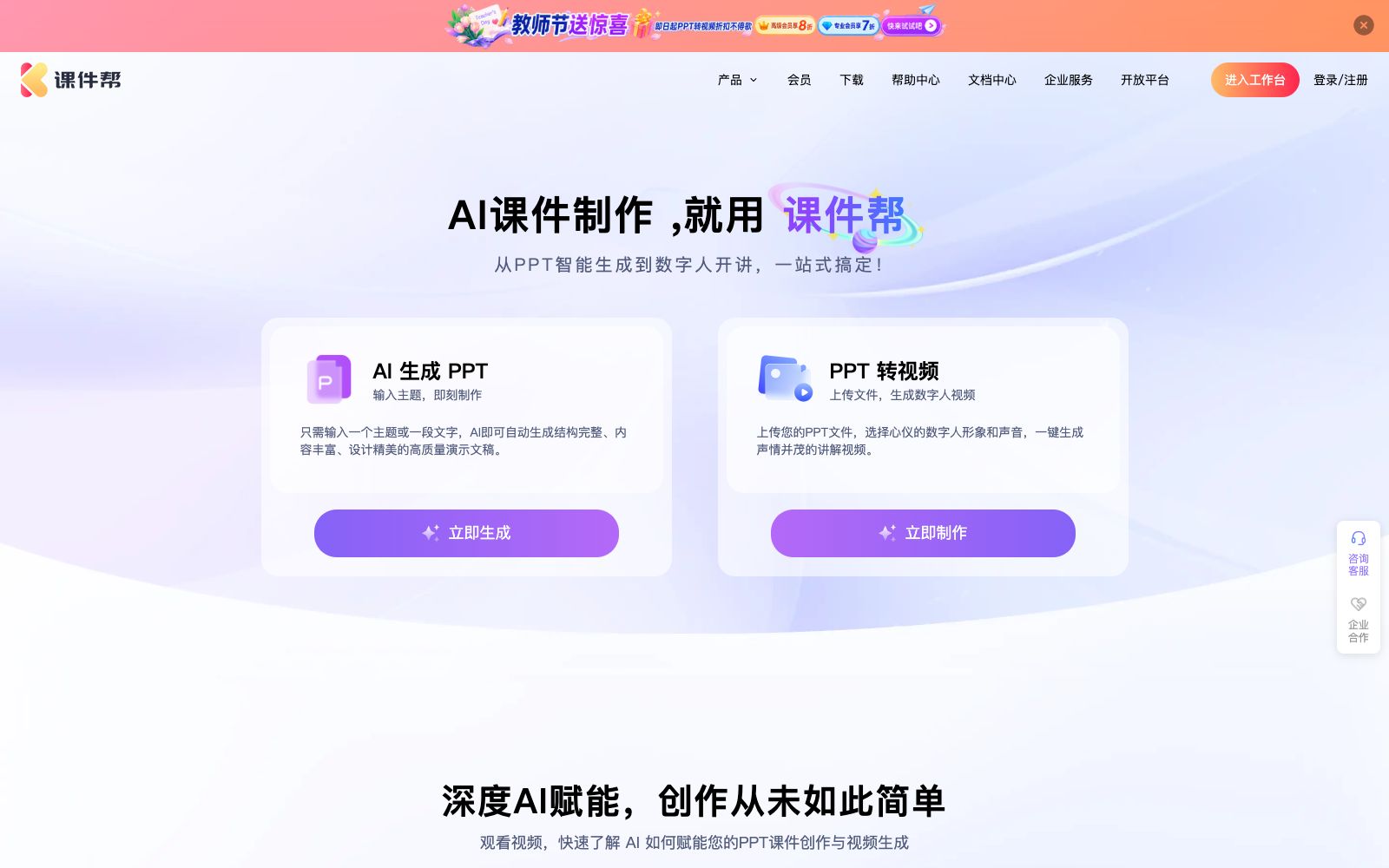
One-stop AI courseware creation platform that supports generating PPTs from themes, converting PPTs into digital human explanation videos, and customizing digital human images and voices. Its official website states that it covers multiple industry training scenarios.
Updated: 2026-10-26
What is Kejian365?
Courseware Assistant is an AI platform designed for the creation of courseware and training videos. Its official website positions it as a "one-stop creation platform for intelligent digital human video courseware". From generating PPTs based on input topics to converting existing PPTs into digital human explanatory videos, all processes are completed on the same workbench. The official website states that there is no need for recording and editing, and it can automatically generate script drafts. The official website indicates that the operator is Beijing Tianyuan Dike Network Technology Co., Ltd., and lists the entrances for enterprise services and the open platform.
Who is it for?
- HR and training departments that need to batch produce training courseware and in-house training videos.
- Marketing and product teams who want to quickly convert existing PPTs into explanatory videos.
- University teachers who need to create course videos but lack recording and editing capabilities.
- Organizations that undertake the production of government and enterprise training materials and require multilingual versions.
- Chain enterprises that need to convert courseware into videos in batches and distribute them to employees for self-study at any time.
Key features
6AI-Generated PPT
The official website states that by inputting a theme or a piece of text, you can generate high-quality presentation slides with complete structure, rich content, and exquisite design without starting from blank pages.
PPT to Video
After uploading your PPT, select your preferred digital human avatar and voice, then generate an explanatory video with one click. The official website states that there is no need for recording or editing, and it automatically generates a script, with support for batch generation.
Digital Avatar Images and Voice Tones
The official website states that it provides various types of digital avatar images and voice tones from over 40 countries, and supports customization of avatar images and voice tones.
AI Smart Image Matching & Intelligent Layout Beautification
Automatically matches images and beautifies the layout for courseware. The official website lists these two as powerful features covering the entire process, along with content expansion and polishing.
Generate PPT from documents and retain original content
You can generate a complete presentation from a document or create courseware while keeping the original content intact, which is ideal for teachers who need to quickly convert existing handouts into courseware.
Multilingual and Bilingual Subtitles
The official website lists multilingual content generation and professional bilingual subtitles, and also provides a large number of professional video templates, enterprise material libraries and intelligent progress navigation.
How to use Kejian365
- 1First generate a version of the PPT based on the topic, confirm the outline and logic, and then perform layout and beautification, which can significantly reduce rework.
- 2It is recommended that the script for the digital human video be read through manually by humans, as long sentences and professional terms are most likely to be mispronounced.
- 3The official website mentions an enterprise material library and a vast collection of templates. Enterprises should confirm the scope of commercial usage authorization for the materials before using them.
- 4For professional content involving politics and governance, healthcare, finance, etc., the final video must be reviewed and approved by the business responsible person before release.
- 5Membership benefits and corporate service quotes are subject to the current official website description; confirm again before signing the contract.
Traffic & popularity
Data month Sep 2026
Kejian365 receives about 610 visits per month and ranks #24,729,306 worldwide.
Monthly visits
12 monthsTraffic sources
- Direct40.5%
- Search33.2%
- Referrals10.9%
- Social5.8%
- Display ads3.0%
- Other6.6%
Top countries
- United States61.6%
- Hong Kong, China38.4%
Estimated from third-party traffic data.
Similar tools
 Elai.ioElai.io is an AI video generator for learning and training. It can quickly create teaching and corporate communication videos with custom digital humans, PPT-to-video conversion and multilingual translation. It is now part of Panopto.
 iFlytek Intelligent CreationiFlytek's one-stop AI dubbing and digital human platform offers super realistic text-to-speech, cartoon digital human videos and images, and voice customization. Officially, it covers scenarios such as education and training, news media, and corporate marketing, serving over ten million creators.
 Feixiang TeacherFeixiang Teacher is an AI teaching platform for teachers, offering teaching games, teaching animations, interactive courseware, AI question generation and AI lesson plans, as well as a resource square and an application square for teachers to reuse.
 AIPPTMiaochu PPT (AIPPT) is a domestic AI one-click presentation tool. It supports entering a topic or uploading documents such as Word and PDF to generate outlines and slides, and allows for online editing and file export.
 VidnozVidnoz is an all-in-one AI video creation platform that offers digital human videos, lip syncing, voice cloning and video translation. Its official website states that each scenario can generate videos of up to five minutes and supports hundreds of languages.
 HeyGenAI digital human video platform: generate a real-life level oral broadcast video with you as the protagonist in minutes. It focuses on Avatar V character consistency, supports multi-angle shooting, precise lip synchronization, emotional expression and one-click multilingual translation.