


AIPPT
Miaochu PPT (AIPPT) is a domestic AI one-click presentation tool. It supports entering a topic or uploading documents such as Word and PDF to generate outlines and slides, and allows for online editing and file export.
Updated: 2026-10-26
What is AIPPT?
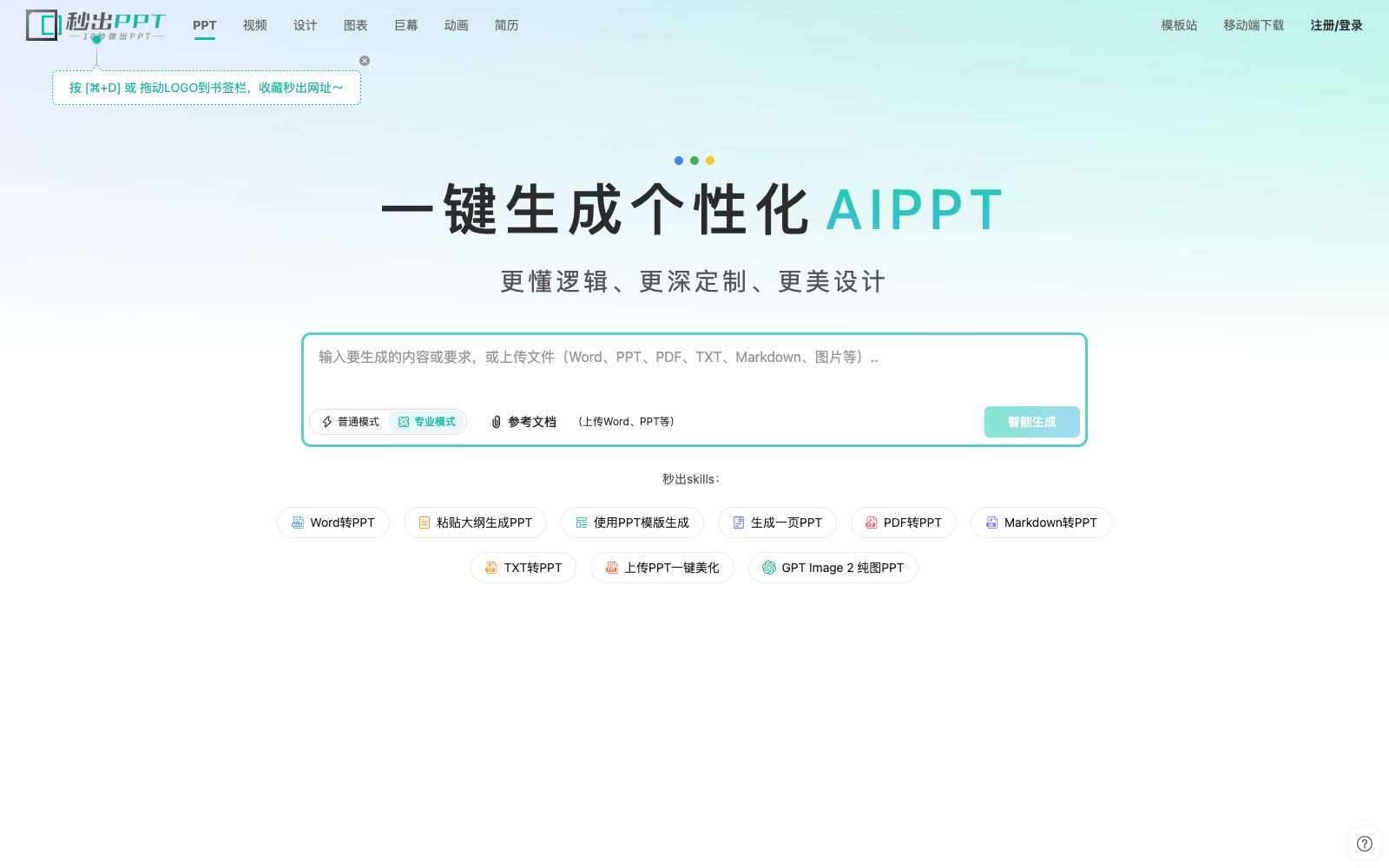
Official website title of Instant PPT: "Instant PPT - AIPPT - AI One-Click PPT Generation - Word to PPT". Within the website, it positions itself as a one-click PPT generation tool: supporting Word to PPT conversion, AI text generation of PPT, PPT beautification and template selection. The official slogan is "Help you complete professional presentation production in 10 seconds". The website materials also state that besides entering a topic, you can also upload documents such as Word, PDF, Markdown to generate clear-structured and exquisitely styled slides, and support online editing, template customization and export. In addition, the official website mentions that it has integrated the capabilities of multiple large models and provides giant screen presentation templates in Prezi style.
Who is it for?
- Students who need to submit slides for their graduation thesis defense or academic reports in a short period of time.
- Professionals who need to convert existing Word plans and presentation materials into presentation slides.
- Teachers and lecturers who create courseware and training handouts and want to spend less time on formatting.
- Teams with fixed template specifications who want to customize templates and apply them in batches.
Key features
6One-click generation by inputting a topic
The homepage of the official website provides an entry for "Input a topic and generate PPT with one click", and lists scenarios such as graduation thesis, academic report, speech draft, WeChat article, mind map, and any topic.
Import Document Conversion
Supports uploading reference documents such as Word, PPT, PDF, and Markdown. According to the official website, it first generates a presentation outline and then creates exquisite slides.
Paste Text for Formatting
The official website provides an entry for "Paste text and one-click format into a beautiful PPT", directly arranging existing text materials into slides.
Online Editing and Templates
Supports online editing, intelligent typesetting and automatic image insertion. The official website states that users can choose from a large number of exquisite templates and also supports custom templates.
Large Screen & Presentation Mode
It is mentioned in the platform that there are built-in Prezi-style large screen templates, supporting zooming, rotating, moving and switching; there are also pages such as presenter mode, audience view, and collaborative sharing.
Client and Plug-in
The official website provides download links for the client and plug-ins, along with supporting features such as download history, personal space and recycle bin.
How to use AIPPT
- Before uploading a document, clean up irrelevant paragraphs and draft annotations.
- The official description mentions that it supports long text understanding and outline expansion, but the cleaner the input, the more relevant the generated outline will be.
- First, generate only the outline, revise it repeatedly, confirm the structure, and then generate the slides.
- This saves rework compared to creating the full version directly.
- The official website prominently displays AI points and member quotas in multiple places (such as the prompt "The current member's AI points have reached the limit").
- Use up the free quota to go through the process first, then choose a member tier as needed.
- For long-term reuse, prioritize configuring custom templates to ensure consistency in your team's output style.
- For commercial use or external release, the scope of authorization for fonts, images, and templates shall be subject to the official website's Template Authorization License Agreement and Copyright Statement.
- official rules and packages may be adjusted, and please recheck before formal use.
Traffic & popularity
Data month Sep 2026
AIPPT receives about 1.9K visits per month and ranks #9,130,525 worldwide.
Monthly visits
12 monthsTraffic sources
- Direct42.8%
- Search38.2%
- Referrals10.5%
- Display ads5.6%
- Social1.4%
- Other1.4%
Top countries
- China100.0%
Estimated from third-party traffic data.
Similar tools
 Gezhe PPTGezhe PPT (gezhe.com) is a domestic intelligent PPT generation tool. It supports three ways to create complete PPTs: entering topics, importing materials or pasting text, and provides a community for reusing templates and cases.
 1dppt1dppt is an AI presentation tool operated by Guangzhou Wei'a Information Technology Co., Ltd. It supports generating PPTs in one sentence, converting documents to PPTs in seconds, and features AI automatic typesetting and polishing, as well as a vast number of templates and Agent mode.
 MindShowMindShow (Mingxiu) is a tool that automatically generates presentations by inputting content. Its official website states that it provides hundreds of slide layouts, covering scenarios such as weekly reports, business plans, summaries, and project initiation.
 Ergou PPTErgouPPT is a Chinese-style PPT generator driven by DeepSeek series models and self-developed AI Agents. It focuses on workplace templates such as state-owned enterprise reports and Party B proposals, with no subscription or pay-as-you-go pricing model.
 MagicSlidesAn AI presentation tool that can generate a complete set of slides by entering a topic, pasting text or uploading PDF and video links. It supports layouts such as SWOT and timelines, and over 136 languages. It is suitable for quickly creating courseware and roadshow scripts on the spot.
 PopAiOnline presentation generation tool: starting from prompts, PDFs, Word documents, PPTX files or web pages, it first organizes the outline and then generates slides. You can continue to edit and polish them, and export them as PPTX or PDF. Officially, it is said to be completed in one workspace.