


Genspark
All-in-one AI workspace that brings together conversations, agents and office suites, enabling direct delivery of slides, spreadsheets, documents and emails, with additional features for generating images, videos and audio as well as a wide range of specialized tools.
Updated: 2026-10-26
What is Genspark?
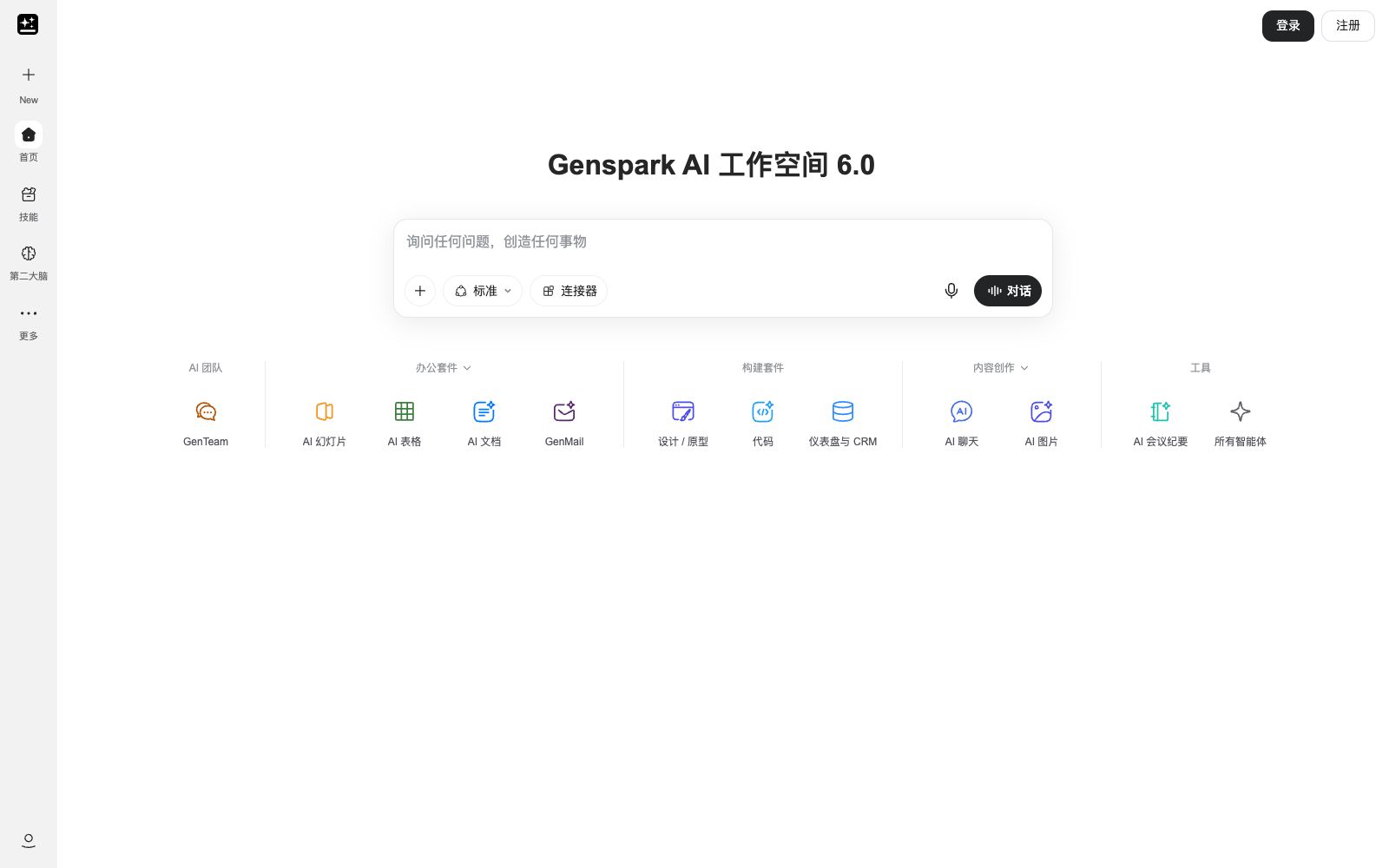
Genspark's navigation bar looks like a product manual: Conversation, AI Team, Office Suite, Build Suite, Content Creation. The tool directory alone spans dozens of grids. Officially, it is referred to as a one-stop AI workspace, and the version number has reached 6.0. The biggest difference between it and ordinary chat assistants is that it directly turns outputs into deliverable files—slides, spreadsheets, documents, emails—instead of leaving them in the chat box waiting for you to copy.
Who is it for?
- People who need to deliver ready-to-send files such as PPTs, spreadsheets, and reports.
- People who often conduct market research and fact-checking and need to do research before writing.
- People who already use Google or Microsoft office software and want to integrate AI into their existing workflows.
- Multimodal content creators for videos, podcasts, images, etc.
- People who prefer to find tools based on scenarios rather than being confined to a single dialog box.
Key features
7Office Suite
AI Slides, AI Spreadsheets, AI Documents, GenMail four-piece set, and also provides plug-ins for PowerPoint, Excel, and Word in Google Workspace as well as Microsoft 365.
GenTeam
The AI team entry in the navigation bar that assigns tasks through team grouping.
Build Kit
Four sections including design prototyping, coding, dashboards and CRM, and content creation, focusing on building rather than just chatting.
Content & Applications
AI chat, images, videos, music, audio, plus two production-focused tools: Clip Genius and AI Podcast.
Tool Library
Meeting minutes, fact-checking, PDF summarization, Word to PPT conversion, invoice generation, schedule making, phone assistant, market research, etc., grouped by category.
Second Brain & Skills
There is a dedicated section in the navigation bar for storing reusable content and workflows.
Multi-regional sites
The official website lists multiple regional versions, the interface language can be switched, and a Simplified Chinese entry is also provided in the footer.
How to use Genspark
- Work backward from your deliverables to choose the right tool: First figure out what file you need to deliver, then navigate to the corresponding section, which is more efficient than randomly clicking through the sea of tools.
- The page slogan claims it only takes a few seconds to go from a question to a real-time dashboard, but when actually working with live data, first verify the data source and statistical definitions, and do not take them at face value.
- Tools like fact-checking are suitable for initial screening, and key conclusions should still be verified against the original sources.
- There are many tools and the number is still growing.
- using the search function is more time-efficient than clicking into each one individually.
- The "New" tags on the page indicate frequent changes.
- There are multiple regional sites and multilingual versions available.
- features and availability may vary by site.
- If you encounter differences, first confirm which site you are on.
Traffic & popularity
Data month Sep 2026
Genspark receives about 7.7M visits per month and ranks #6,996 worldwide.
Monthly visits
12 monthsTraffic sources
- Direct73.1%
- Search19.5%
- Display ads2.3%
- Social2.1%
- Referrals1.4%
- Other1.7%
Top countries
- Japan31.2%
- South Korea21.2%
- India8.4%
- United States8.3%
- Vietnam2.2%
Estimated from third-party traffic data.
Similar tools
 TraeWorkByteDance AI Office Platform supports automatic PPT generation, data analysis and in-depth research. It can call plug-ins such as Feishu, WeChat and DingTalk, realize multi-terminal collaboration, and has been integrated with models such as Doubao, DeepSeek and Kimi.
 Le ChatThe original dialogue assistant has been renamed Vibe. The same account retains the original package and historical conversations. It is divided into three modes: work, programming, and chat. It supports online retrieval, multi-application connectors and scheduled tasks, and is suitable for users who want to switch from pure chatting to getting work done.
 MetasoAd-free Chinese AI search engine that directly outputs answers with sources, supports switching between the entire internet, academic and library scopes, and provides in-depth research, file upload Q&A and voice input.
 QBotThe AI browser developed by Tencent, described on its official website as an upgraded version of QQ Browser, has fully integrated Yuanbao Assistant, which can be summoned at any time while browsing web pages and documents; it also features an intelligent workbench, split-screen, universal format opening, and multiple intelligent Agents.
 Doubao WorkDoubao's AI products and brand launched for productivity scenarios are officially said to be able to independently break down tasks around users' goals, call tools, complete complex work such as research and analysis, content creation, data processing, and application building, and deliver results.
 Trip Planner AIAI travel planning tool: enter dates and destinations to generate a complete itinerary including flights, hotels and activities. It supports flexible editing, real-time prices and one-click booking, and has planned more than 8 million itineraries.