


Flot AI
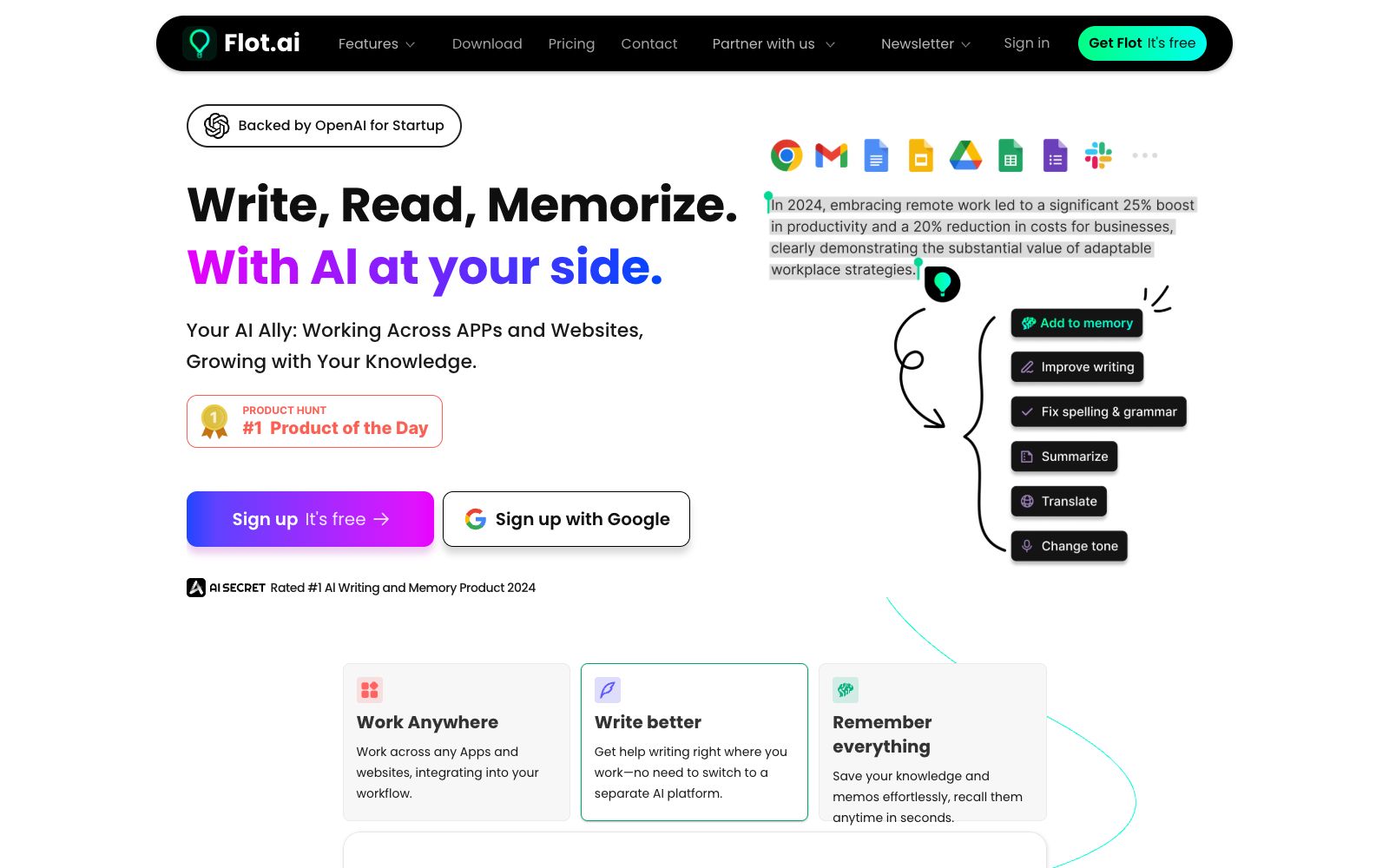
Flot AI is a permanent AI copilot for desktop and web platforms. Officially, it can be activated directly anywhere where text can be entered or selected, and it is used for writing, rewriting, summarizing, translating, explaining or replying without the need to copy and paste.
Updated: 2026-10-26
What is Flot AI?
The slogan of Flot AI's official website is "Write, read and remember by your side", and its subtitle positions it as an AI assistant that grows with your knowledge. It has a typical co-pilot form: you can select text directly in the app or webpage you are using to call it, instead of being redirected to a separate editor. The official website's homepage is purely front-end rendered, and the official copy available is concentrated in the title, description and site index, with additional sections such as pricing, download, FAQ, blog and data security.
Who is it for?
- Office workers who switch repeatedly between emails, documents and chats and don't want to copy and paste.
- People who need to write and reply to emails in English but don't want to polish each sentence.
- Researchers and students who read a large amount of foreign language materials and need instant translation and explanation on the fly.
- People who want the AI to remember their context instead of re-explaining the background every time.
Key features
6Invoke Anywhere
The official description states that it can be used anywhere you type or select text, eliminating the need to copy and paste between windows.
Write
Enables AI to write and improve text. The official listed actions include writing, refining and rewriting, covering both drafting and polishing ends.
Read
The official listed functions include summarization, translation, and explanation, suitable for quickly digesting long texts and foreign language materials.
Reply
The official description states that it can generate a reply to any text with one click, which is commonly used in emails, comments, and chat scenarios.
Memorize
The third capability in the official website's title, positioned to let the AI accumulate alongside your knowledge rather than starting from scratch every time.
Desktop Client & Web Version
The official website has a download page offering the desktop version, and the site also lists multilingual pages and security-related instructions, allowing you to choose the form according to your device.
How to use Flot AI
- 1Try it out on non-sensitive documents first, get familiar with the activation method, and then integrate it into your daily workflow.
- 2Selecting text invokes the tool, which means content may be uploaded at any time. When dealing with contracts and customer data, please first clarify the scope and keep records.
- 3The official website provides pricing and download pages, and the package tiers and client versions are subject to the official pages.
- 4It is recommended to manually review important emails and external copy, as AI responses may overpromise in tone or overlook key limiting conditions.
- 5The official website features a blog and a FAQ section; if you encounter issues such as invocation conflicts or shortcut key failures, check here first.
- 6The official description and functional divisions may be adjusted; it is recommended to recheck the terms before commercial use and team bulk deployment.
- 7The official website also has a page related to data security and privacy. It is recommended to read it carefully before deciding whether to access it when involving company data.
Traffic & popularity
Data month Sep 2026
Flot AI receives about 2.4K visits per month and ranks #9,309,608 worldwide.
Monthly visits
12 monthsTraffic sources
- Direct40.6%
- Search34.9%
- Referrals10.4%
- Social6.1%
- Mail2.8%
- Other5.3%
Top countries
- India41.5%
- Russia22.7%
- Peru12.2%
- Australia11.4%
- United Kingdom6.0%
Estimated from third-party traffic data.
Similar tools
 JetwriterA browser-based AI writing assistant that can rewrite, correct, translate, summarize, and explain selected text on any website. It integrates deeply with Gmail and is powered by models including GPT-5.1, Claude, and Gemini.
 Haye AIAn AI chat client for macOS, the official says it integrates a variety of top-tier models in one application, and you can use shortcut keys to ask questions about any application, text, screenshots and local files.
 iFly WritingThe AI writing generator under iFlytek supports conversational writing, rewriting, expansion and abbreviation. It can quickly complete articles according to scenario templates, and can upload audio, video and Office documents to generate one-click summaries and mind maps.
 Type.aiAn AI editor for novel and screenplay writers, its official website states that it deeply integrates drafts and AI assistants into a word processor, supporting character setting memory, custom writing rules and multi-format export, and the official claims it is not used for model training.
 GrammarlyA veteran AI writing assistant, it provides capabilities such as grammar checking, paragraph rewriting, tone adjustment, AI flavor removal, and AI detection on any website and application. Its official website positions it as a ready-to-use AI writing partner, covering two scenarios: the workplace and education.