

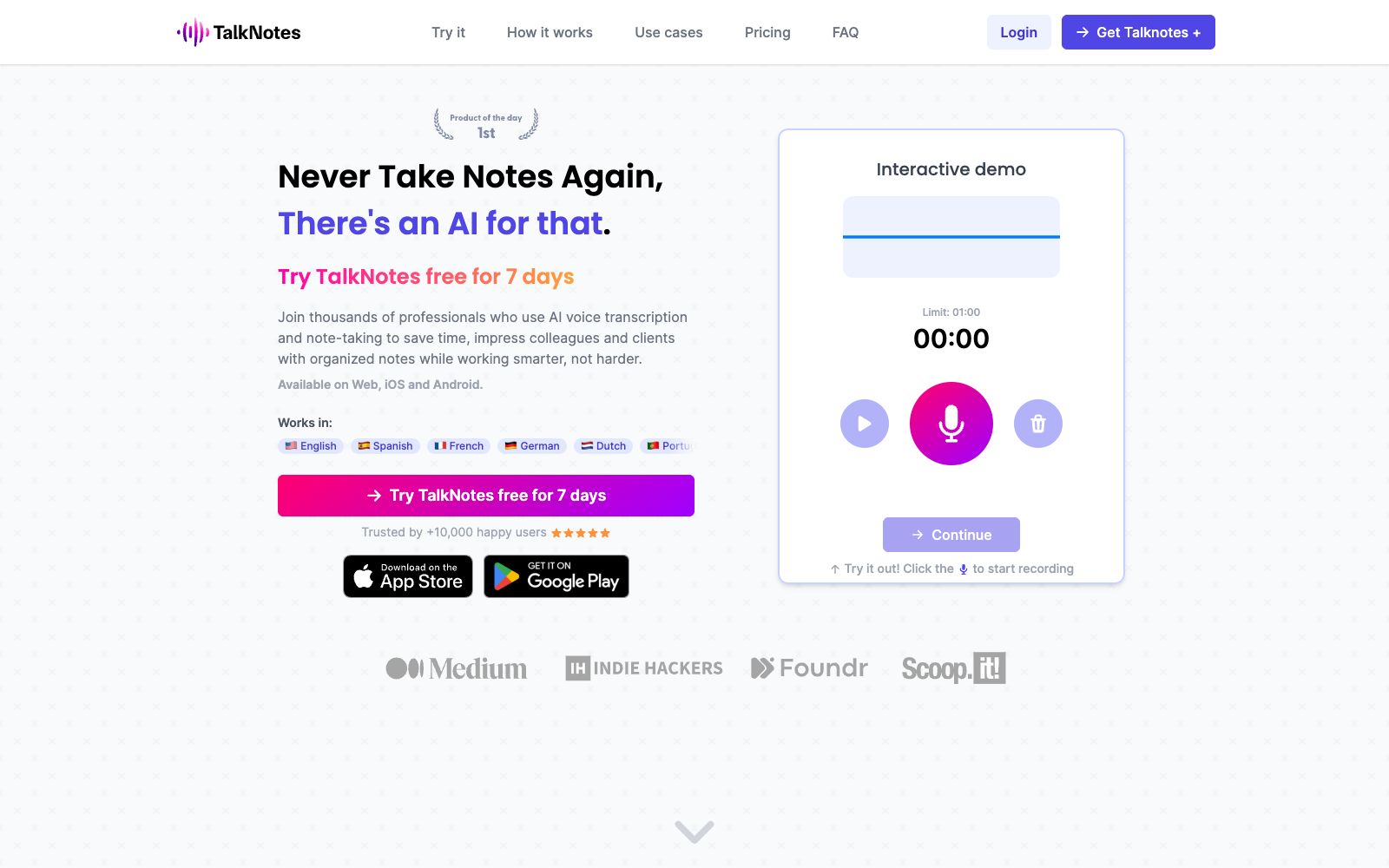

Talknotes
Talknotes is an AI voice note-taking app that can convert voice recordings into structured text, generate to-do lists, transcripts, blogs, etc. It supports more than 50 languages and is available on Web, iOS and Android platforms.
Updated: 2026-10-26
What is Talknotes?
Talknotes is an AI voice note-taking app that the official claims can "turn hours of note-taking into seconds." Unlike typing, you speak and the AI handles transcription and structuring into deliverable text—task lists, transcripts, blog posts, etc., can all be generated directly. It is available across Web, iOS, and Android platforms and supports over 50 languages. Its official website lists 9 output styles it offers: notes, transcripts, checklists, formal emails, task lists, diaries, flashcards, tweets, and LinkedIn posts, and provides scenarios such as brainstorming, content creation, voice diaries, interview transcription, and meetings.
Who is it for?
- Content creators who want to dictate their inspirations while commuting or exercising and need a finished draft afterward.
- Professionals who need to quickly transcribe interviews and take meeting minutes using voice input.
- Language learners who want to practice foreign languages and have AI organize their notes.
- Individual users who want to use voice to write diaries and jot down their thoughts at will.
Key features
6Voice-to-structured Text
Record your voice, and the AI will transcribe and organize it into usable text without having to type while thinking.
Diverse Output Styles
Offers 9 styles including notes, transcription, lists, formal emails, to-do lists, diaries, flashcards, tweets, and LinkedIn posts.
Multilingual Support
Covers 50+ languages, including Chinese, English, Japanese, French, German, Spanish, etc., making it suitable for cross-border communication.
Multi-device Accessibility
Available on Web, iOS, and Android, so you can speak and organize anytime, anywhere.
Scenario Templates
Tailored for scenarios like brainstorming, content creation, voice diaries, interview transcription, and meetings, ready to use out of the box.
Free Trial
The official service offers a 7-day free trial, allowing you to experience it first before deciding whether to subscribe to a paid plan.
How to use Talknotes
- Choose the right output style first: Before recording, select "Task List" or "Transcript" among the 9 styles, which is more suitable for the purpose than general notes.
- Split long recordings: Recording for too long at a time makes it easy to miss key points, and dictating by topic in segments results in clearer content.
- Note the free tier limitations: There is a paid tier after the 7-day free trial.
- The specific languages and features are subject to the official website's current offerings.
- Regarding personal voice data, please review its privacy policy, as the rules may be subject to change.
- Plan the structure before dictation: list key points first before speaking, resulting in clearer and more organized transcription results.
- Choose the output style according to your use case: there are dedicated templates for formal emails, tweets, and lists, and making the right choice makes things much easier.
- When you start using it, it is recommended to first use the free quota to get the core workflow up and running, confirm that the output quality meets your expectations, and then evaluate whether it is worth upgrading to a paid plan.
Traffic & popularity
Data month Sep 2026
Talknotes receives about 16.0K visits per month and ranks #2,310,617 worldwide.
Monthly visits
12 monthsTraffic sources
- Search61.0%
- Direct28.1%
- AI assistants6.2%
- Referrals4.4%
- Mail0.4%
Top countries
- United Kingdom14.1%
- United States12.9%
- India7.8%
- Switzerland5.9%
- Germany4.5%
Estimated from third-party traffic data.
Similar tools
 DictanoteThe note-taking app with built-in voice input allows you to switch between typing and dictation at any time. The official version supports dictation in over fifty languages, comes with voice commands and shortcuts, and also has an extension from the same team for any web-based input method.
 CleftA voice-first note-taking app built exclusively for Apple devices, it performs on-device offline transcription and organizes dictations into summaries, to-do lists and transcripts, and can be sent to Notion, Obsidian, etc., with one click.
 VOMO AIVOMO AI is an AI meeting note and audio transcription tool. Officially, it supports more than 90 languages with an accuracy rate of over 95%. It can convert meetings, interviews and YouTube videos into transcripts, summaries and to-do lists, and distinguish speakers.
 AudioPenAudioPen is an AI note-taking tool that converts speech to text and automatically rewrites and polishes it. Officially, it claims to be used by 200,000 people. It supports multi-style output and multi-device synchronization, helping you organize your oral ideas into clean text.
 Speech To NoteA voice-to-text note-taking tool, officially said to convert dictation into editable notes on Mac, Windows, mobile terminals and web terminals, supporting multiple languages, offline mode and various templates.
 TrintAn AI transcription production platform for media and content teams, covering real-time transcription verification, archive transcription, rough cutting, subtitling and translation. It is officially claimed to support more than 50 languages and serves newsrooms, sports media and podcast teams.