


Chuangkit
A domestic online design and video editor, its official website states that it provides 80 million image materials and over 1 million templates. It supports intelligent background removal, intelligent elimination, image sharpening, AI product image processing, watermark removal and other features, with copyright protection for commercial use.
Updated: 2026-10-26
What is Chuangkit?
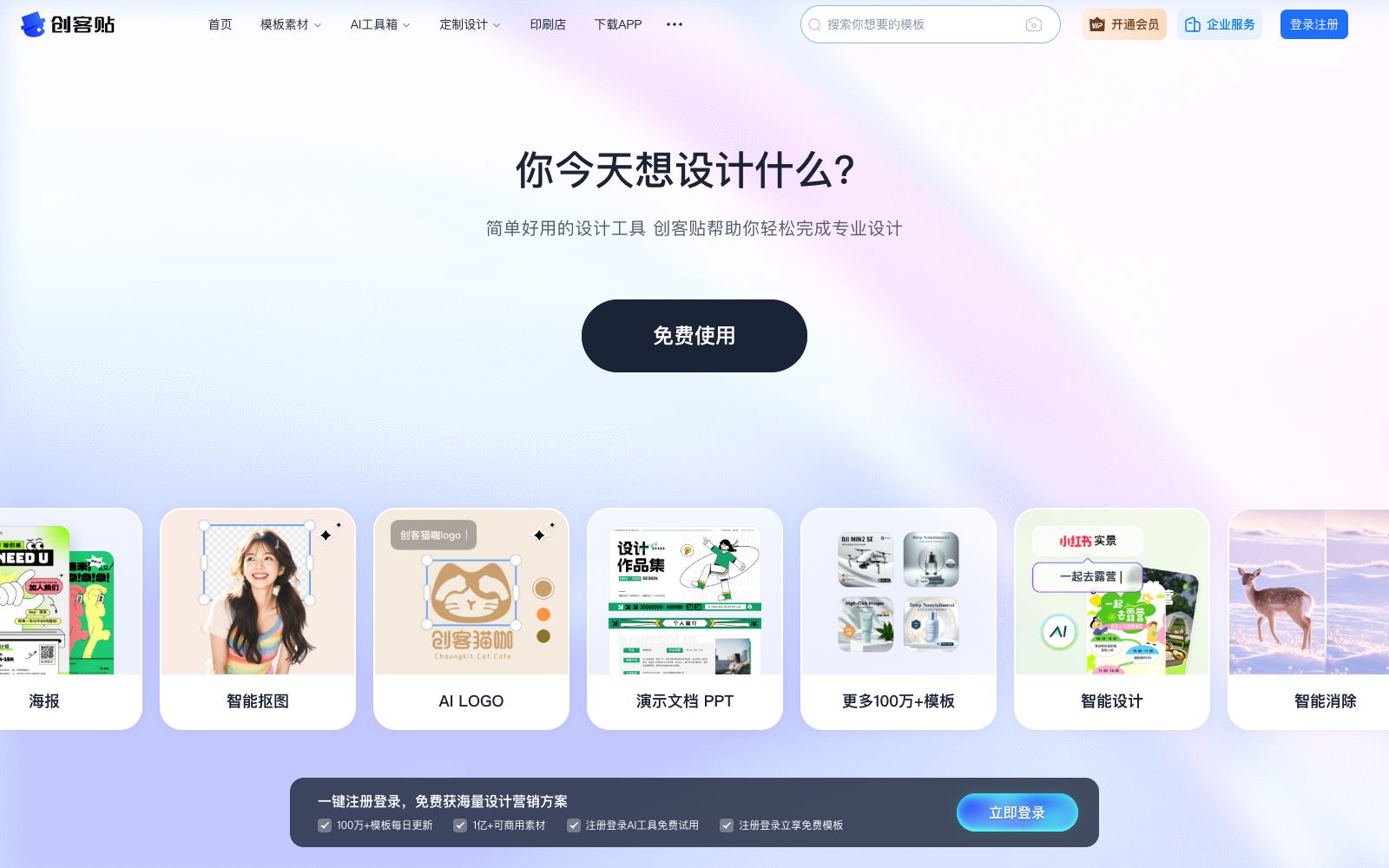
Chuangkete is a domestic online design and video editor. Its official website slogan is "Anyone can design just by typing, with commercial copyrights". It focuses on enabling users to create designs without Photoshop by simply replacing images and modifying text. According to the official website, the platform offers 80 million image materials, along with 1 million original templates, 100 million copyrighted materials and 150,000 illustration elements.
Its positioning is biased towards the production of marketing materials: it organizes templates by scenarios such as marketing, social media, business office, e-commerce design, education and training, and material fonts. It also separately lists sections like AI photo retouching, intelligent design, AI painting and brand design, providing functions such as intelligent background removal, intelligent object elimination, image sharpening, AI product images and AI watermark removal. The official website emphasizes that commercial use is covered by copyright protection.
Who is it for?
- E-commerce operators and merchants who need to create product images, detail pages and promotional posters in batches
- New media and social media operators who create official account cover images, Xiaohongshu content and posters on a daily basis
- Small and medium-sized enterprise (SME) owners and administrative staff who have urgent needs for event materials but no full-time designers
- Content teams with needs for multi-person collaboration and brand specification management
- Users who need to connect design and printing to place orders directly
Key features
7Template and Material Library
The official website states that there are 1 million original templates, 80 million image materials, 100 million copyrighted materials, and 150,000 illustration elements, covering posters, official account cover images, Xiaohongshu graphic content, resumes, presentation documents, etc.
AI Photo Retouching
Smart cutout allows one-click removal of the subject's background; smart removal is used to erase objects and fix blemishes, along with image sharpening and batch image processing.
AI Product Images & Watermark Removal
The official website lists two features: AI Product Images (intelligently migrate product backgrounds) and AI Watermark Removal.
Smart Image Editing & AI Copywriting
Smart image editing can intelligently replace content in images; AI copywriting serves as an intelligent writing assistant. The platform also provides access points for AI image generation and AI logo design.
Team Collaboration & Brand Control
Supports cross-departmental and cross-regional collaboration among multiple people, and provides team resource sharing, brand management, member management, design approval, data statistics and handover procedures for resigned employees.
Printing & Open Platform
The official website offers one-stop printing procurement and express delivery services, as well as an open platform, custom interfaces, one-click configuration of brand VI, and SDK integration.
Compliance and Middle Platform Capabilities
The marketing content middle platform section mentions efficient production, copyright assurance, cloud-based management of content materials, and AI compliance testing, as well as full-category customized design and DesignOps design collaboration platform.
How to use Chuangkit
- The fastest way to create images daily is to search for templates and then modify the text and replace the images.
- The official website categorizes templates by scenario, which saves a lot of time compared to starting from a blank canvas.
- For product image-related needs, it is recommended to directly use AI product images for background migration, which is more stable than manually cutting out images and replacing backgrounds.
- for batch tasks, you can use the image batch processing feature.
- For team use, it is recommended to first configure the brand VI and shared material library, and then enable design approval, which can reduce style drift of external materials.
- The official website lists four plans: Free Edition, General Edition, Collaboration Edition, and Flagship Edition, which are suitable for personal experience and learning, watermark-free high-definition downloads for individual users or single enterprise users, teams with fewer than 10 people, and large enterprises with multiple subsidiaries respectively.
- The specific benefits are subject to the instructions on the official website's corresponding page.
- For templates, fonts, and images involved in commercial use, please confirm the authorization scope as indicated on the page.
- AI compliance detection is only an auxiliary method, and it is recommended to manually review important materials before release.
Traffic & popularity
Data month Sep 2026
Chuangkit receives about 1.1M visits per month and ranks #35,412 worldwide.
Monthly visits
12 monthsTraffic sources
- Direct62.8%
- Search28.2%
- Referrals7.6%
- Social0.9%
- Display ads0.6%
Top countries
- China94.3%
- Singapore0.9%
- United States0.9%
- Saudi Arabia0.8%
- Hong Kong, China0.6%
Estimated from third-party traffic data.
In these collections
Similar tools
 IshejiAisheji is an online graphic design website. It provides a large number of commercially available templates such as new media illustrations, marketing posters, e-commerce designs and office documents. It supports drag-and-drop editing, AI-generated PPT, intelligent background removal and enterprise material libraries.
 SellerPicAn AI product content platform for e-commerce and fashion brands. It can generate model photos, lifestyle scenes, advertising materials and videos from white-background product images, and provides virtual try-on, model replacement, posture and background editing functions.
 MolisheMolishe is an online intelligent design platform. Its official website states that it has more than 3 million templates for posters, PPTs, display boards, business cards and resumes, which can generate images by one-click replacing text and pictures. It also provides AI image generation, AI PPT creation and intelligent background removal.
 GlorifyGlorify is an online design tool for e-commerce sellers, which can create social media posts, ad graphics, infographics, presentations and videos. Its official website states that it offers more than 11,000 templates, brand toolkits and infinite canvases.
 Remove.bgThe most well-known one-click background removal tool. Upload an image to automatically remove the background in about 5 seconds. It offers batch editing, API and plugins. The official website announced that the background removal function will be integrated into Canva, and the standalone site will be discontinued starting from December 2026.
 Gaoding AIA domestic online design platform with a vast number of templates and AI assistance. You can create posters, PPTs, and e-commerce materials even without knowing PS. It integrates AI functions such as background removal, watermark removal, AI inpainting, product retouching, and video creation. The materials are officially licensed and available for commercial use.