

Chengpian AI
An AI long-form writing and document generation tool launched by Baidu, it supports one-click article completion, automatic outline generation, proposal and research report creation, internet and academic search, intelligent PPT generation, and Baidu Academic plagiarism check, targeting thesis and office writing scenarios.
Updated: 2026-10-26
What is Chengpian AI?
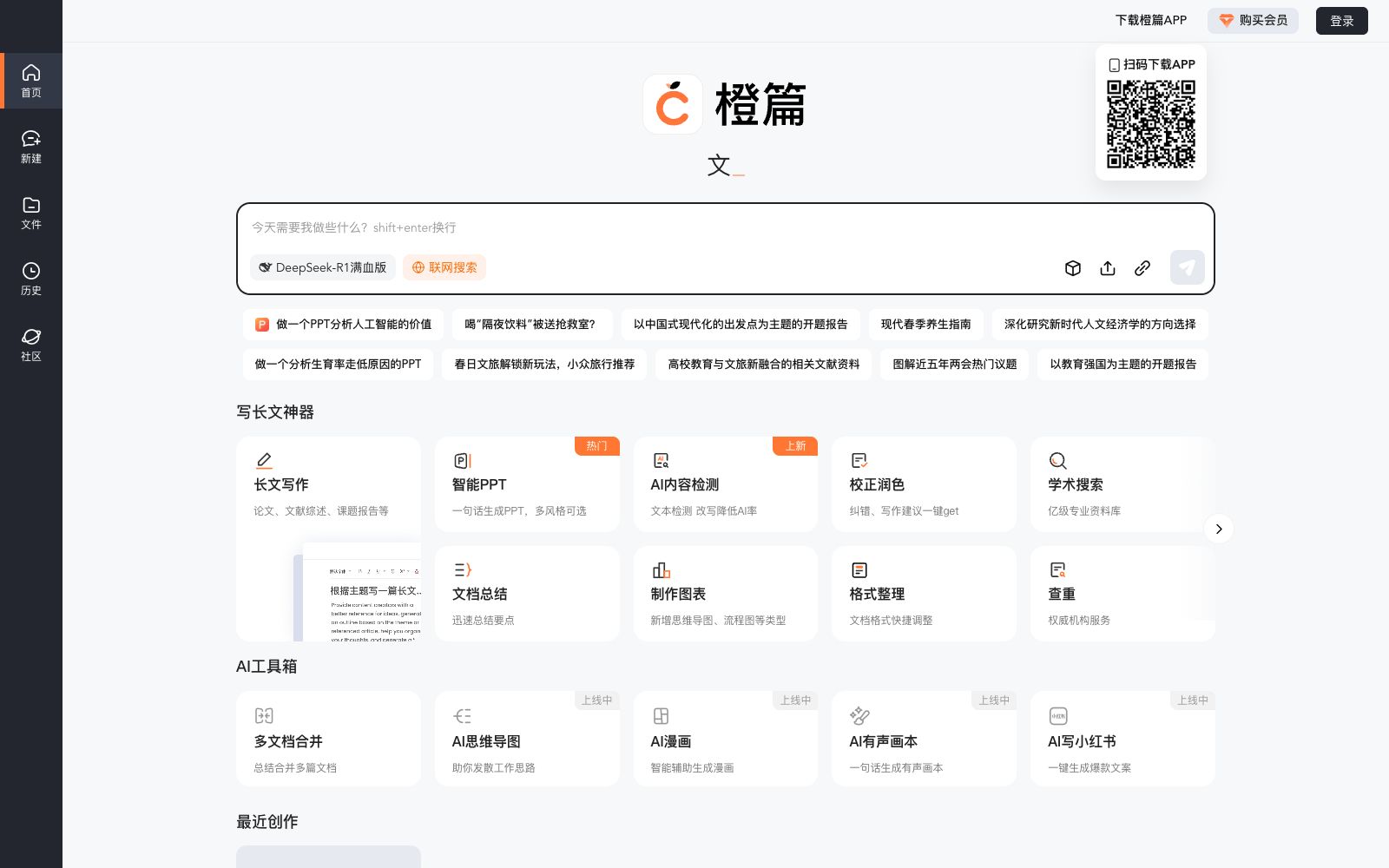
OrangePian AI is an AI writing tool launched by Baidu. The website belongs to Baidu (domain name cp.baidu.com, and page resources are hosted under the domains bdimg.com and bdstatic.com). The official website title has only one slogan: "OrangePian AI - Use OrangePian, and it's done". The homepage is a dialogue workbench called "Smart Assistant", with the input prompt "What do you need me to do today?", accompanied by a prompt for line breaks with shift+enter and an entrance to "Today's Hot Searches".
Its core capability is long-form writing. The official website describes its functions as "No need to worry about writing long articles, I help you generate a full article with one click" and "For long articles, generate a full article with one click", and also supports "One-click automatic generation, with all kinds of copy and pictures you need". Around the writing process, the official website provides title generation, outline generation and editing, proposal writing, research reports, project reports, long article continuation, and file Q&A like "You can also enter questions about the file~". On the data source side, it offers "online search" and "in-depth search", and the retrieval sources are marked as "Source: Baidu Academic". The output section is connected to "Smart PPT", "Generate PPT based on the current document", "Export PPT", as well as plagiarism check via Baidu Academic.
Who is it for?
- Students preparing for proposal reports, course papers and final project reports can directly use the proposal report and project report processes provided on the official website.
- For professionals who need to write research reports, industry analyses, or research materials, the combination of an outline, the main text, and accompanying images forms a complete workflow.
- For presentation scenarios where you need to quickly convert existing documents into PPTs, the official website supports generating PPTs based on the current document.
- For those who have a large number of PDF, Word, and Excel materials that need to be summarized and queried, the official website states that files, URLs, and images can all be sent into the dialog box for joint processing.
Key features
6Write long articles with one click
The official website describes the feature as "No need to worry about writing long articles, I’ll help you finish a full piece with one click", and it also supports one-click automatic generation of copy and matching images.
Outline Generation and Editing
The official website prompts "Creating your outline, please wait a moment". After generation, you can continue to edit or export it. The toolbar supports raising the level, lowering the level, adding and deleting outlines.
Thesis Proposal and Research Report
The official website provides outlines for thesis proposals, research reports, and project reports respectively. After generating an outline, you can proceed to generate the main text.
File Upload and Q&A
The official website states that it supports uploading up to 100 files, with a single file size limit of 200MB. Supported file types include common ones such as Word, PDF, images, PPT, and Excel.
Online Search & In-depth Search
The official website offers two levels of search entry, supporting the summarization of web pages and extraction of their core key points, with sources and generated content clearly annotated.
Smart PPT & Baidu Academic Plagiarism Check
The official website supports generating PPTs based on the current document, and also allows uploading reference PPTs for the smart assistant to learn their styles; it also provides the process of Baidu Academic plagiarism check.
How to use Chengpian AI
- First create an outline before writing the main text.
- The official website designs the outline as an independently editable section.
- if the outline is set in the wrong direction, the subsequent generated long articles will basically need to be rewritten.
- Membership is the main dividing line: The official website mentions in multiple places that "Uploading templates is a member-exclusive feature" and "Subscribe to a member to export PPT files".
- Before selecting a template or exporting a PPT, confirm your membership tier.
- Free quota has usage and time limits: The official website prompts "No more free trial uses left" and "You have exceeded the usage limit, please try again tomorrow".
- For heavy writing needs, it is recommended to plan the usage in advance.
- Plagiarism check is only an auxiliary indicator.
- the criteria may not be consistent with your school.
- The official prompt for PPT reference style requires a 16:9 aspect ratio.
- following this limit can reduce rework.
Traffic & popularity
Data month Sep 2026
Chengpian AI receives about 2.3M visits per month.
Monthly visits
12 monthsTraffic sources
- Search93.7%
- Referrals3.2%
- Direct3.0%
- Social0.2%
- Mail0.0%
Top countries
- China95.4%
- United States1.1%
- Hong Kong, China1.1%
- Taiwan, China0.7%
- Japan0.4%
Estimated from third-party traffic data.
Similar tools
 66Paper66Paper is an AI writing platform targeting graduation theses and professional title papers. Its official website states that it offers free paper outlines and one-click draft generation, supports various paper types, word counts and languages, and allows users to upload reference materials for the model to learn from first.
 Article ForgeArticle Forge is a fully automatic AI long-form writing tool. According to the official statement, it can complete research, planning and write a complete article of more than 1,500 words with one click. The content is search engine optimization (SEO) oriented and can be produced in batches.
 MagickPenAn AI writing assistant based on large models, built with more than 90 templates, supporting outline generation, online search and in-depth research. It allows setting roles, tones and lengths and covers multiple languages.
 Biling AIAll-in-one Chinese AI writing tool, officially claimed to cover more than 200 real scenarios including papers, official documents, PPTs and resumes, with capabilities such as outline generation, document continuation and polishing, repetition reduction and AI trace removal, as well as resume and new media copywriting.
 Chuangfei WritingA novel creation tool designed specifically for online novel writers. The official website lists AI story generation, character generation, worldbuilding generation, AI book breakdown and one-click writing, which can generate outlines and full text from a single creative idea.
 GenFlowBaidu Wenku has launched an AI Workbench, officially positioned as "Super AI, Control Multiple Tasks at Will". It covers intelligent PPT, writing, drawing, contracts, mind maps and knowledge base Q&A, and supports uploading materials and generating content from your own data.