


NeverCap
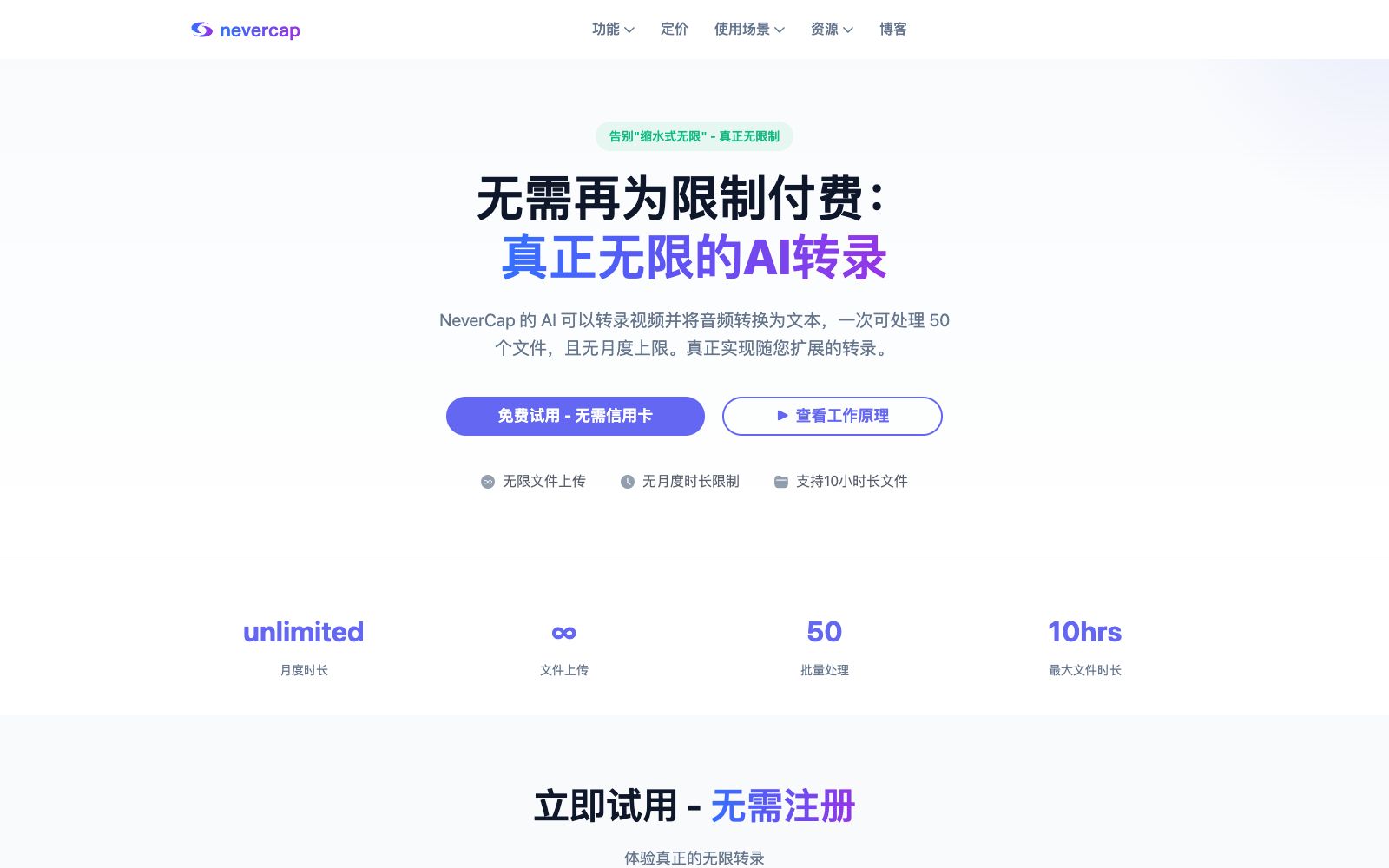
An AI transcription tool with unlimited duration support allows uploading up to 50 files at once, with a maximum duration of 10 hours per file. The output is a transcript with speaker diarization and word-level timestamps, and the official claims an accuracy rate of 96%.
Updated: 2026-10-27
What is NeverCap?
NeverCap's selling point is highlighted in the title: No more paying for usage limits. It offers unlimited audio and video transcription, with an official accuracy rate of 96%, supports over 100 languages, allows uploading up to 50 files at once, and each file can be up to 10 hours long. Compared to tools that charge by the minute and often impose monthly upload limits, it targets podcast teams, journalists, and researchers with large volumes of existingassets to process. For content teams, the real value of such tools is turning the decision of "whether to transcribe" from a one-time cost calculation into a default action, rather than having to recalculate usage limits every month.
Who is it for?
- Podcast teams that need to complete show notes for an entire season of podcasts.
- Journalists with tight deadlines and dozens of interviews on hand.
- Researchers who need to create transcripts of focus groups and interviews.
- Education teams that need to batch-add subtitles to course videos.
- Business teams that need to review a large volume of customer calls; teaching assistants who need to batch-add subtitles to student lectures.
Key features
6Unlimited Transcription
The official website emphasizes no monthly minute limit and no hidden "fair use" clauses, making it suitable for processing an entire season of programs or batches of interviews in one go, and also making budgeting easier to estimate.
Batch Upload
You can upload up to 50 files at a time and re-upload them, which is specifically designed to clear backlogged media libraries. Just queue the files and leave the page; you can get the results directly when you come back.
Speaker Identification
The official claims it can distinguish up to 20 speakers, clearly label overlapping speech scenarios, making it ideal for roundtable discussions and multi-interview sessions.
Word-level timestamps
Each word comes with a time position, making it easy to go back and locate content. When doing subtitle alignment, there’s no need to manually find points; positioning by word during subtitle alignment is more accurate than estimating by sentence.
Multilingual Support
Supports transcription in over 100 languages and translation into more than 249 languages. The official states that there is no extra charge for language switching; for multilingual delivery, a single piece of material can be produced in multiple language versions.
Format Compatibility
Supports common audio and video formats such as mp3, mp4, m4a, mov, aac, wav, ogg, opus, mpeg, wma, wmv, and flac, and the exported text can be directly pasted into documents.
How to use NeverCap
- The official website allows a trial without registration.
- First, upload a short multi-party conversation to verify if speaker diarization is sufficient, then decide whether to upload files in batches.
- Upload batch tasks by project in separate batches.
- This makes it easy to locate which file has issues when problems arise, and also facilitates batch-by-batch proofreading, so that a pile of transcripts won't be mixed together.
- When the transcript involves the personal information of interviewees, first confirm the data processing and deletion methods, and consider desensitizing sensitive interviews before uploading.
- Automatic transcription still makes mistakes with accents and professional terminology.
- all quotes for external release must be verified sentence by sentence.
- It’s better to take a bit longer than to make critical errors.
- The specific boundaries of the "unlimited" usage (per-file duration, concurrent requests, storage) are subject to the official website's terms.
- the rules may be adjusted and should be reviewed regularly for long-term use.
Traffic & popularity
Data month Sep 2026
NeverCap receives about 20.6K visits per month and ranks #1,626,377 worldwide.
Monthly visits
12 monthsTraffic sources
- Direct56.8%
- Search20.3%
- Social15.4%
- Referrals6.6%
- Display ads1.0%
Top countries
- United States78.8%
- India8.5%
- Hong Kong, China6.7%
- Indonesia2.0%
- Nigeria1.1%
Estimated from third-party traffic data.
Similar tools
 AI SummarizerOnline text summary tool that allows you to paste text, add article links or upload files, generate paragraph-style or bullet-point summaries with adjustable lengths, suitable for students' review and professionals' quick reading of long articles.
 OctaskMulti-agent collaboration platform, officially said to be able to build a team of full-time AI employees such as design, marketing and research, with Master AI orchestrating tasks and sharing context, delivering end-to-end from ideas to finished products and charging by points.
 WritingMate.aiWritingMate.ai aggregates over 350 models including ChatGPT, Claude, Gemini, etc., with a single account. You can switch models in the same conversation without losing content, and it also supports file reading, internet access, image generation, saving you from multiple subscriptions.
 WriteMail.aiAI email writing tool: input a few key points to generate a complete email with adjustable tone, length and style. It supports more than 30 languages and is suitable for sales outreach and daily workplace reply scenarios.
 StorypieAn audio-first learning platform for preschool to 8th grade that turns knowledge points into listenable and repeatable stories, equipped with comprehension quizzes, illustration worksheets and coloring pages. It can also generate courses and lesson plans by grade, suitable for both home and classroom use.
 Paraphrasing.ioA free online AI paraphrasing tool with seven rewriting modes, it restructures sentences, swaps in new wording, and adjusts tone while preserving the original meaning. With support for 18 languages, it is ideal for reducing similarity in academic papers and polishing emails and blog posts.