


AirBrush
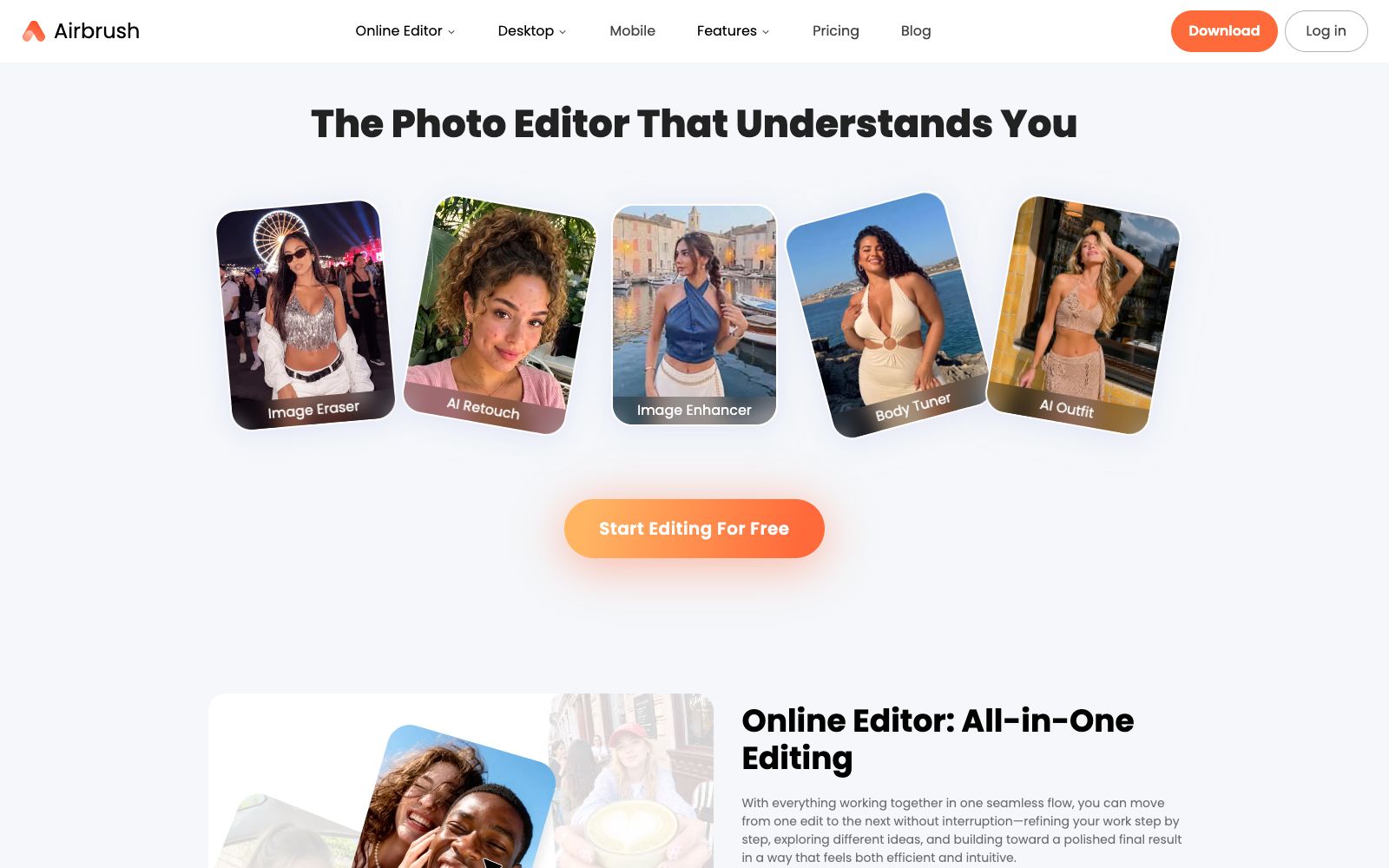
The online AI image and video editor under AirBrush offers magical portrait retouching, body reshaping, AI filters, object removal and background adjustment. It is for daily users, creators and professionals, and supports web and desktop versions.
Updated: 2026-10-26
What is AirBrush?
AirBrush is an online AI image and video editing tool, officially positioned as "The Photo Editor That Understands You". Developed by the AirBrush team, unlike apps that simply overlay filters, it focuses on using AI tools to complete portrait retouching, body reshaping and background processing in seconds, allowing users to make photos look natural without professional retouching skills.
Who is it for?
- For ordinary mobile users who want to quickly edit selfies and avatars, they can use Magic touch-up and Reshape to finish the editing in a few seconds.
- Graphic creators who post on social media need stylized portraits and a consistent visual tone to build their personal brand.
- For professionals and experts taking ID photos, LinkedIn profile pictures, or product documentation photos, they can refine their skin and clean up the background.
- Users who want to batch process on their computers can download AirBrush Studio to edit videos and images on the desktop.
Key features
6Magic touch-up (Magic Portrait Retouching)
The official claims it can enhance your best facial features in seconds, keeping your photos smooth and natural without any extra steps.
Reshape (Body Reshaping)
Allows adjustments to body shape, and with the help of AI tools, makes every photo more exquisite and pleasing to the eye.
AI Filters (AI Filters)
Smooth skin and adjust the overall look with intuitive AI filters.
Object Removal & Background Adjustment
The official claims it can remove objects from photos and adjust the background, making it easy for anyone to use.
AirBrush Studio
The official website provides desktop downloads (Mac OS, Windows) and mobile versions (iOS, Android), and supports video editing.
User Segmentation Templates
The official website provides usage scenario descriptions for three categories: general users, content creators, and professionals.
How to use AirBrush
- Try the free trial first: The official website offers "Start Editing For Free" and a 7-day Free Trial.
- Test the effects on the web version first before downloading the desktop version.
- Prioritize Magic touch-up for portraits: For daily selfies, first apply touch-up and then Reshape as needed to avoid an unnatural look from excessive liquefaction.
- Do background modifications step by step: Remove objects first, then adjust the background.
- For complex images, processing in multiple attempts is more stable than doing it all at once.
- Pay attention to data and authorization: The FAQ section on the official website includes the question "Is my data safe with Airbrush?".
- Please check its privacy and authorization instructions before commercial use, as the official rules may be adjusted.
Traffic & popularity
Data month Sep 2026
AirBrush receives about 946.7K visits per month and ranks #50,942 worldwide.
Monthly visits
12 monthsTraffic sources
- Search61.6%
- Direct29.5%
- Referrals5.2%
- Social2.1%
- AI assistants0.7%
- Other0.8%
Top countries
- Russia26.2%
- India10.4%
- Mexico7.6%
- United States7.0%
- Peru4.3%
Estimated from third-party traffic data.
Similar tools
 Evoto AIThe one-stop AI photo post-processing software under Truesight has its main slogan on the official website as "Connect Shooting, Selection, Retouching and Delivery", integrating RAW processing, color grading, portrait retouching and batch processing into a single workflow.
 FotorFotor is a free online photo editor. Officially, it offers features such as AI enhancement, AI photo retouching, background removal, and text-to-image conversion. It also supports converting images to anime, coloring old photos, and batch processing, covering daily photo editing and creative design needs.
 PokecutPokecut is an online AI photo editor developed by Guangzhou Guangzhuiyuan. Its official website states that users can remove backgrounds, enhance image quality and generate pictures without registration. It is built with a variety of models and specialized retouching tools for portraits, figures, hairstyles and more.
 PincelPincel is a browser-based AI image, video and audio toolset for enterprises, with more than 50 features such as AI photo retouching, object removal, virtual try-on for clothing and makeup, and portrait generation. It emphasizes brand security, and new users get 20 credits upon registration.
 BeautyPlusBeautyPlus is a free AI image editor and filter tool. It supports AI image generation, portrait enhancement, background removal, watermark removal, virtual outfit and hairstyle changes, online photo booths, and AI influencer generation. It is available on both web and apps.
 Xiutu AIAn AI batch photo retouching tool for photo studios and photography institutions, offering neutral gray skin smoothing, facial feature reshaping, full-body beauty shaping and RAW conversion. The official claims it processes tens of thousands of photos every day.