


Tugaigai
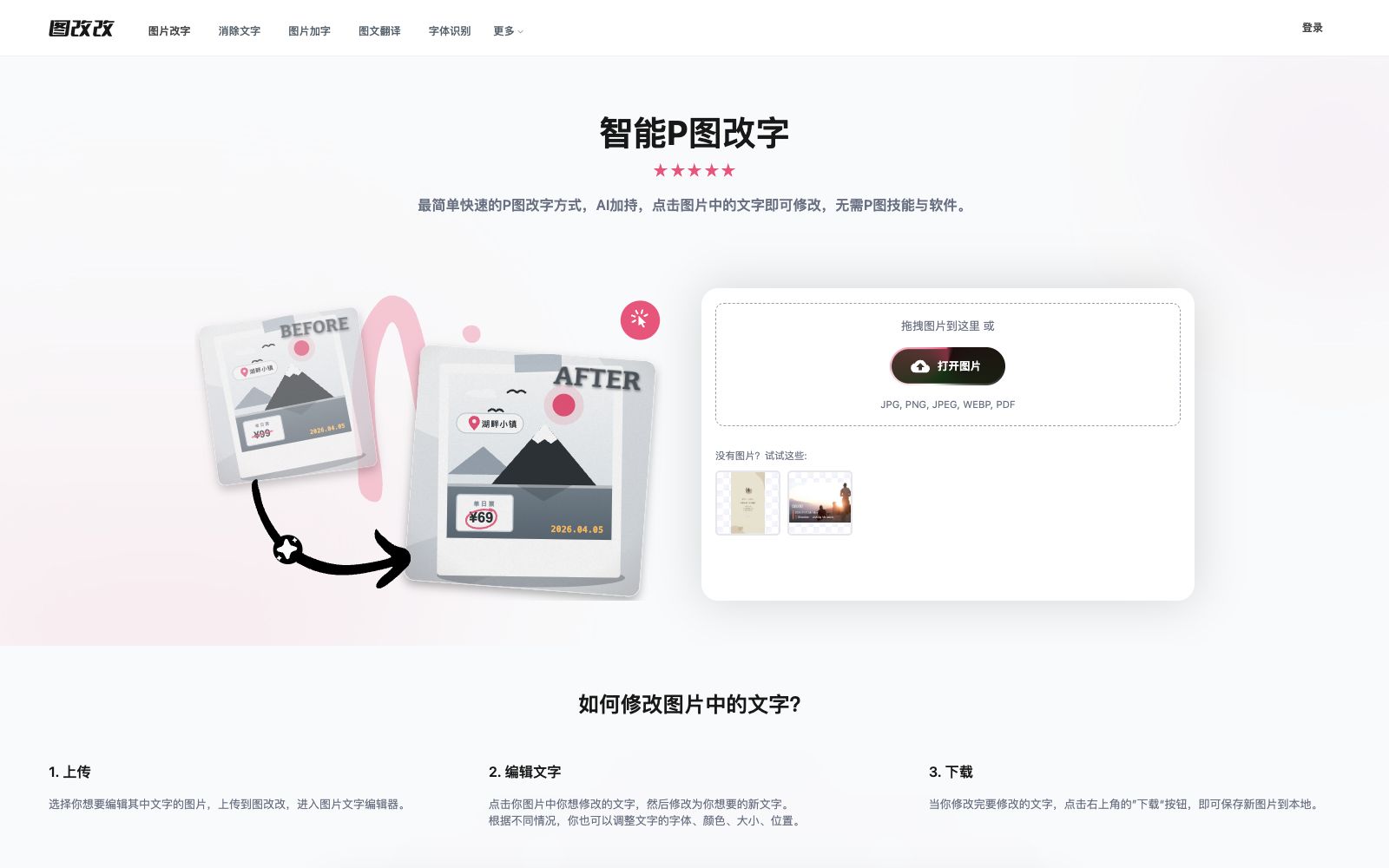
Tugaigai is an online AI tool focused on modifying text in images. You can click on the text in the image to modify it. The official states that it has AI font matching, seamless background restoration and high-precision OCR recognition. It also supports text removal and image-text translation. The platform's fonts and generated content can be freely used commercially.
Updated: 2026-10-26
What is Tugaigai?
Tugaigai is an online tool that makes the task of "editing text in images" extremely simple. Its official self-description is "the easiest and fastest way to edit text in pictures", focusing on "AI-powered editing where you just click on the text in the image to modify it, no photo editing skills or software required". Unlike tools for full-image generation or stylization, it specializes in text-level editing: changing, deleting, adding text, and translating can all be done on the same image.
Who is it for?
- E-commerce operations: Modify prices, promotional copy or typos on the main product images, and also use it for changing text on e-commerce main images and poster text.
- Marketers and brand personnel: Modify text in event images and advertising copy, and perform graphic translation and text modification when replacing multilingual versions.
- Photography and design assistants: Handle the high-frequency demand from clients for "changing only one word or a line of text" during revisions, eliminating the need to open heavy design software for minor edits.
- Content creators and self-media: Add watermarks to or remove watermarks from images, correct text in screenshots, and create cover images with text.
Key features
6Smart Photo Editing for Text Modification
The official description states that you can click on the text in the image you want to modify and rewrite it, and adjust the font, color, size, and position; supported upload formats include JPG, PNG, JPEG, WEBP, and PDF.
AI Text Editing (Conversational Image Editing)
The official description states that it is an integrated solution based on a new generation of AI, featuring "semantic understanding + intelligent background restoration + style migration". It automatically executes the entire process through conversational instructions, eliminating the need to manually frame, erase old text, and then type new text manually.
AI Font Matching
The official statement says that after selecting text, you can click "Recognize Font" in the editing panel to identify and match similar fonts, with access to a vast library of fonts available for use.
Seamless Background Restoration
The official states that when modifying text, the background is automatically filled in without ghosting, white edges, or color blocks, and complex textures such as wood grain, fabric, and light and shadow can be restored; the editor also provides various erasure solutions for manual text modification.
High-precision OCR Recognition
The official states that it supports recognizing text in all languages in images, and can accurately identify tilted, curved, small, or complex background text as well as Chinese-English mixed text, while restoring the geometric features of the text.
Supporting Image Tools
The functions and more tools listed on the official website include removing text from images online, copying text from images, converting images to text, adding text to images, online image translation, AI font recognition, correcting text in images, converting photos to electronic scanned documents, PDF text editors, modifying text on posters, etc.
How to use Tugaigai
- First, determine the scope of changes: For modifying a single word or a few characters in a line, it's most stable to select the text by swiping for precise editing.
- for rewriting an entire sentence or making multiple adjustments, using conversational AI image editing is more convenient.
- If spots appear during manual text modification, the official recommendation is to switch to another background removal result or switch to AI conversational image editing, which the official says will not produce spots.
- For font consistency, first use "Recognize Font" and then fine-tune the font size, color, and position to avoid style inconsistency caused by directly applying the default font.
- Regarding privacy, the official stated that it will not collect user photos, device information, or geographic locations for targeted advertising or data resale, and edited images will be automatically deleted after 3 days (30 days for logged-in users).
- The official website states that all fonts distributed by the platform and any content produced are free for commercial use.
- these rules may be adjusted, so it is recommended to recheck the authorization and disclaimer scope before official launch.
Traffic & popularity
Data month Sep 2026
Tugaigai receives about 443.2K visits per month and ranks #81,130 worldwide.
Monthly visits
12 monthsTraffic sources
- Search48.8%
- Direct45.1%
- Referrals5.7%
- Social0.3%
- Display ads0.1%
Top countries
- China81.0%
- Taiwan, China4.6%
- Hong Kong, China3.7%
- United States3.7%
- Singapore2.1%
Estimated from third-party traffic data.
Similar tools
 PDNob PDF EditorAll-in-one PDF editing software that allows text modification, annotation reading, OCR recognition, format conversion and page organization like Word. It also provides compression, encryption and signature functions, and has a built-in AI for summarization, Q&A and translation.
 PicWishA domestic free online AI photo retouching toolset that offers features such as image quality enhancement, background removal, and blurriness to sharpness conversion. It covers product image and daily photo processing, and provides APIs for developers.
 FontDanceFontDance is an AI font generator that creates usable typefaces from text prompts, reference images, or handwriting samples. Preview your generated font and export it as TTF or WOFF2 files, ready to use in your design projects.
 WHEEThe AI visual creation platform launched by Meitu Inc. supports text-to-image, image-to-image, as well as functions such as image modification, image expansion, object removal, and HD restoration. It can also convert images into videos, targeting individual creators and commercial design scenarios.
 ChatIMGA conversational AI photo retouching tool: upload a photo, describe the changes in text, and the image will be generated. The official website states that it is built with more than 20 models including GPT Image 2. New users get 50 free points upon registration, and no points are deducted for failed attempts.
 Jiaohu AIJiaohu AI is a Chinese AI image editing tool. According to the official statement, it can complete complex image editing, e-commerce design, virtual try-on, background removal and image expansion, as well as photo restoration with just one sentence. It is deeply optimized for Chinese users and can be used by beginners without any foundation.