


Tuding
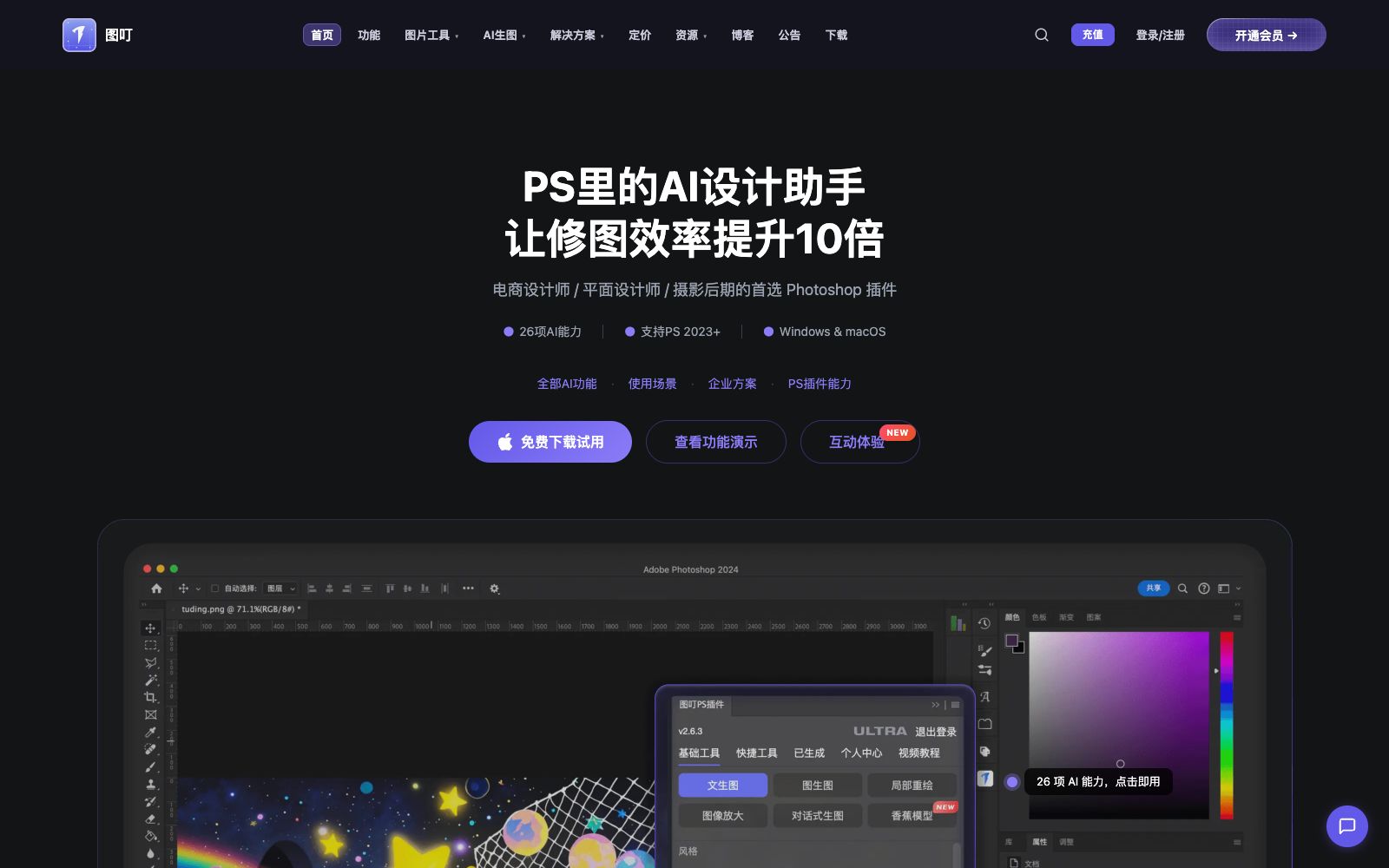
Tuding AI is an AI design assistant plug-in for Photoshop. According to its official website, it has 26 AI capabilities covering photo retouching, background removal and creative generation, and also offers 26 free pure front-end image tools that can be processed locally in the browser.
Updated: 2026-10-26
What is Tuding?
Tuding AI's official website positions itself as an "AI design assistant for Photoshop", focusing on improving image editing efficiency and targeting e-commerce designers, graphic designers, and photography post-processors. The official website states that the plugin includes 26 AI capabilities, supports Photoshop 2023 and above versions as well as Windows and macOS, and is ready to use without local deployment. There is also a separate set of 26 pure front-end image tools outside the official website. The official website says these tools run in the user's own browser, and users only need to log in when submitting processing requests, with images not uploaded to the server.
Who is it for?
- E-commerce designers: Product composite lighting, material high-definition restoration and batch background removal are daily high-frequency needs.
- Photographers and portrait retouchers: The official website offers targeted capabilities such as portrait retouching, oil removal, and high-definition enlargement.
- Graphic designers: Use image expansion, pattern extraction and smart angle transformation to handle material details.
- For positions where it's inconvenient to upload images to the cloud, the official website states that the free tools process images locally in the browser without uploading them to the server.
- Frontend and product personnel who need to batch create ICOs, Favicon icons and multi-size icons.
Key features
6Smart Retouching
The official website lists Banana, All-Object Refinement, Portrait Retouching, Full-Screen Watermark Remover, Product Composite Lighting, Custom Lighting, Material HD Restoration, Portrait Oil Remover & Sharpening, HD Upscaling, and All-Round Rendering Retouching.
Image Editing
The official website lists one-click background removal, selection removal, object migration, adaptive angle compositing and lighting, image expansion, pattern extraction, intelligent angle rotation, clothing changing, one-click face swap, and AI pose rotation.
AI Creative Generation
The official website lists text-to-image, image-to-image, Kontext, Qianwen 2509, style transfer and inpainting.
Free Image Tools
The official website states that these 26 tools run purely on the front end, including changing the background color and size of ID photos, cover sizes, format conversion and compression, adding watermarks, removing location information from photos, cutting images into a 9-grid layout, and stitching long images, among others.
Professional Conversion Tools
The official website lists SVG to Image, SVG compression and optimization, Image to ICO, Favicon and App icon generation, PDF to Image, GIF creation and frame extraction, Image OCR, and Image to SVG.
No Local Deployment Required
The official website states that it's ready to use out of the box, and registering an account will give you 50 free trial credits.
How to use Tuding
- 1The official website states that registering gives you 50 free trial credits. Use the credits to test the two or three functions you use most before deciding whether to subscribe.
- 2The plug-in requires PS 2023 or above. Please confirm the version and system before installation. The official website provides installation tutorials for Windows and macOS.
- 3When dealing with customer's original photos and unreleased materials, you can prioritize the official website's pure front-end tools to reduce the risk of external dissemination.
- 4One-click face swap, watermark removal and inpainting features involve the portrait rights and copyrights of others, and authorization must be obtained first.
- 5The official website mentions content related to copyright registration of national works, and it is recommended to retain the original materials and processing records before commercial delivery.
Traffic & popularity
Data month Sep 2026
Tuding receives about 2.3K visits per month and ranks #7,446,543 worldwide.
Monthly visits
12 monthsTraffic sources
- Direct38.4%
- Search37.2%
- Referrals11.9%
- Social5.1%
- Mail2.4%
- Other5.0%
Top countries
- Singapore29.7%
- China29.6%
- United States23.0%
- Taiwan, China16.3%
- Hong Kong, China0.7%
Estimated from third-party traffic data.
Similar tools
 StartAIAn AI image processing plug-in based on Photoshop, integrating AI capabilities such as background removal, retouching, text-to-image generation and model outfit changing. It is embedded in the designers' workflow and meets the needs of e-commerce and batch image generation.
 Pixian.AIPixian.AI is a registration-free image background removal tool. Just drag and drop an image to extract a transparent background. You can specify a white background or a solid color background, crop margins, and output size. Free usage has a limited quota, and unlocking high-resolution images requires a paid subscription.
 FotorFotor is a free online photo editor. Officially, it offers features such as AI enhancement, AI photo retouching, background removal, and text-to-image conversion. It also supports converting images to anime, coloring old photos, and batch processing, covering daily photo editing and creative design needs.
 Jiaohu AIJiaohu AI is a Chinese AI image editing tool. According to the official statement, it can complete complex image editing, e-commerce design, virtual try-on, background removal and image expansion, as well as photo restoration with just one sentence. It is deeply optimized for Chinese users and can be used by beginners without any foundation.
 PincelPincel is a browser-based AI image, video and audio toolset for enterprises, with more than 50 features such as AI photo retouching, object removal, virtual try-on for clothing and makeup, and portrait generation. It emphasizes brand security, and new users get 20 credits upon registration.
 WHEEThe AI visual creation platform launched by Meitu Inc. supports text-to-image, image-to-image, as well as functions such as image modification, image expansion, object removal, and HD restoration. It can also convert images into videos, targeting individual creators and commercial design scenarios.