


SwifDoo PDF
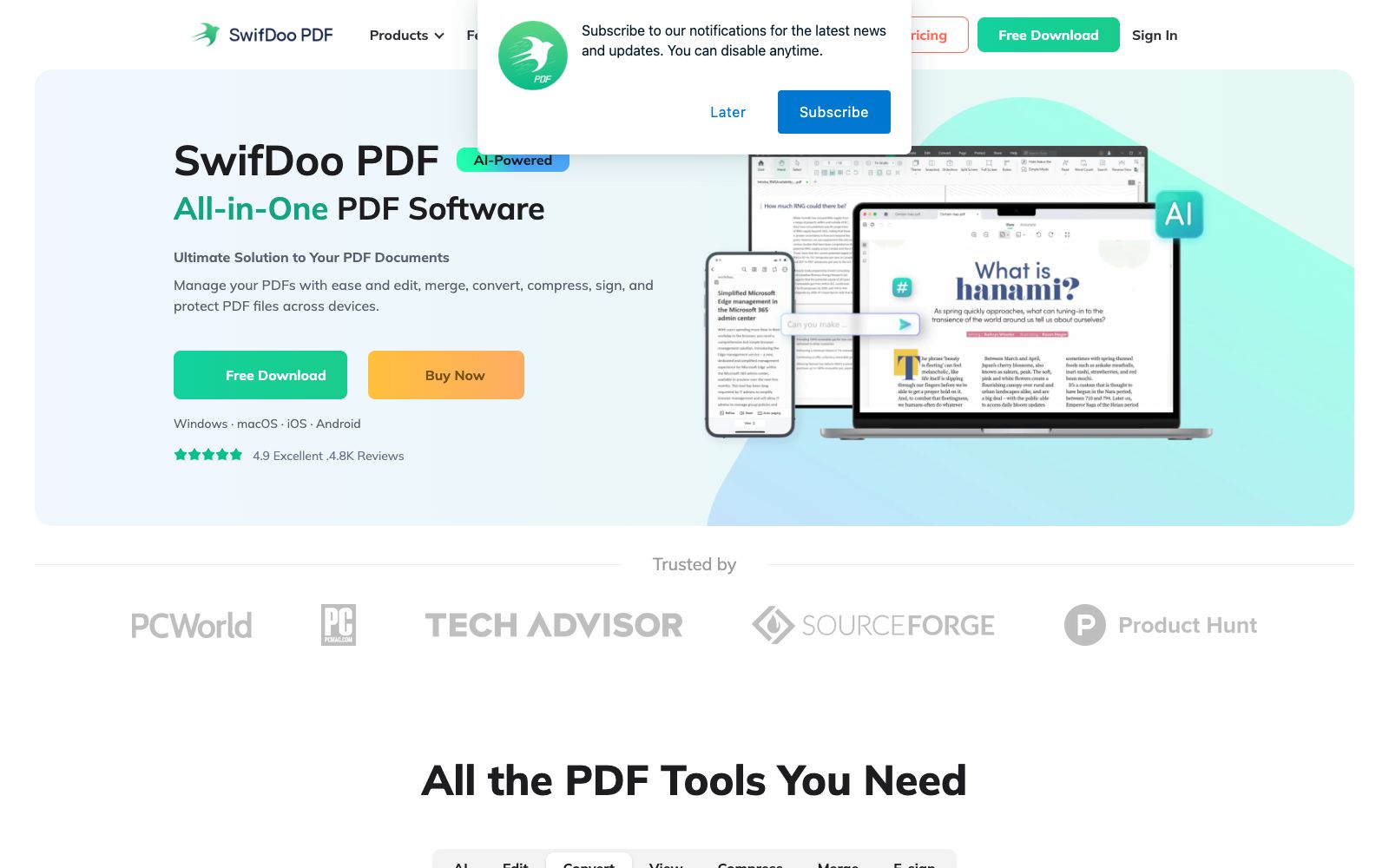
All-in-one PDF software that can create, edit, convert, annotate, compress, sign and encrypt documents, with built-in OCR and AI capabilities for summarization, explanation, proofreading, rewriting and translation, covering desktop, web and mobile platforms.
Updated: 2026-10-26
What is SwifDoo PDF?
SwifDoo PDF is a PDF software provided by swifdoo.com, which is described on its official website as "AI-Powered All-in-One PDF Software". It covers multiple platforms including Windows, Mac, web, iOS and Android. In addition to conventional editing and conversion functions, it has integrated AI summarization, translation and Q&A into the PDF reading process. The official emphasizes that the software has a small size of only about 30MB and is relatively lightweight.
Who is it for?
- Office workers and freelancers who need to edit, convert and sign various PDFs on a daily basis.
- Field workers and sales personnel who need to handle PDFs on mobile phones and tablets and pursue paperless operations.
- Teachers and researchers who need to convert scanned documents into text for further editing.
- Students and home users who find large PDF suites too bulky and want to install a lightweight software.
Key features
8Edit
Modify text, images, hyperlinks, backgrounds and other elements in a PDF.
Convert
Converts between PDF and Office documents, EPUB, JPG and other formats. The official website provides online access for converting PDF to Word, Excel, PowerPoint, DWG and more.
Merge
Merge multiple PDFs into one, or split them in different ways.
View
Offers multiple reading modes, and the official states that it can read PDF files aloud and perform translations.
Compress & Create
Compress file sizes and create PDFs from files such as docx, xls, EPUB and more.
Annotate and Sign
Type and highlight annotations, add sticky notes, and add electronic signatures in the form of handwritten text and signature images.
Protect
Restrict access to and editing of PDFs with passwords.
SwifDoo AI
The official claims it can efficiently summarize, translate, explain, proofread, and rewrite PDFs, as well as enable conversations with documents.
How to use SwifDoo PDF
- 1First, confirm which platform version you are using, as the feature sets for Windows, Mac, and mobile devices are not entirely consistent.
- 2Perform OCR on scanned documents before editing, and manually review tables and formula pages, as misrecognized line breaks are common.
- 3Online tools are suitable for temporary processing; for sensitive contracts, it is recommended to use desktop clients to reduce file uploads.
- 4When asking questions about documents using AI, treat the answers as an index and verify the key clauses against the page numbers in the original text.
- 5Before using encryption or signatures on official documents, confirm that the other party accepts this form, and the legal effect shall be subject to local requirements.
- 6Free trial and subscription benefits may be subject to change; check the official pricing page again before subscribing.
Traffic & popularity
Data month Sep 2026
SwifDoo PDF receives about 74.3K visits per month and ranks #651,917 worldwide.
Monthly visits
12 monthsTraffic sources
- Search60.5%
- Direct18.9%
- Social14.2%
- Referrals3.8%
- Affiliates2.6%
Top countries
- United States10.8%
- India7.6%
- Germany4.4%
- Spain4.1%
- Indonesia3.6%
Estimated from third-party traffic data.
Similar tools
 PDF GuruAn online PDF editing and conversion tool. Officially, it claims that you can edit, convert, sign and manage PDFs without installation. It has built-in electronic signatures and fillable forms, and provides an AI summary function. The maximum file size for a single document is 100 MB.
 PDNob PDF EditorAll-in-one PDF editing software that allows text modification, annotation reading, OCR recognition, format conversion and page organization like Word. It also provides compression, encryption and signature functions, and has a built-in AI for summarization, Q&A and translation.
 TinyWowFree online toolbox that brings together hundreds of tools such as PDF, image, video, and AI writing tools, covering format conversion, editing, compression, and AI generation. The official offers a 7-day free trial of Premium membership.
 Toolsmart AIAn online platform aggregating over 50 free AI and PDF tools, covering document, spreadsheet, presentation, PDF, image and video processing. It is integrated with the AI capabilities of WPS Office, and the official claims that some models are free and unlimited.
 UPDF AIUPDF AI is a PDF intelligent assistant built into the UPDF Reader. According to its official website, it enables conversing with PDFs, summarizing, translating, and converting them into mind maps. It also supports Q&A on images, in-depth research, and paper searches, and is available across multiple devices and supports multiple models.
 DeepPDFOnline PDF research assistant that supports conversing with documents, bilingual parallel translation, long text summarization, interpretation of charts and formulas, as well as OCR and format conversion. The official states that the maximum file size for a single document is 200MB and translation covers more than 100 languages.