
Slicer
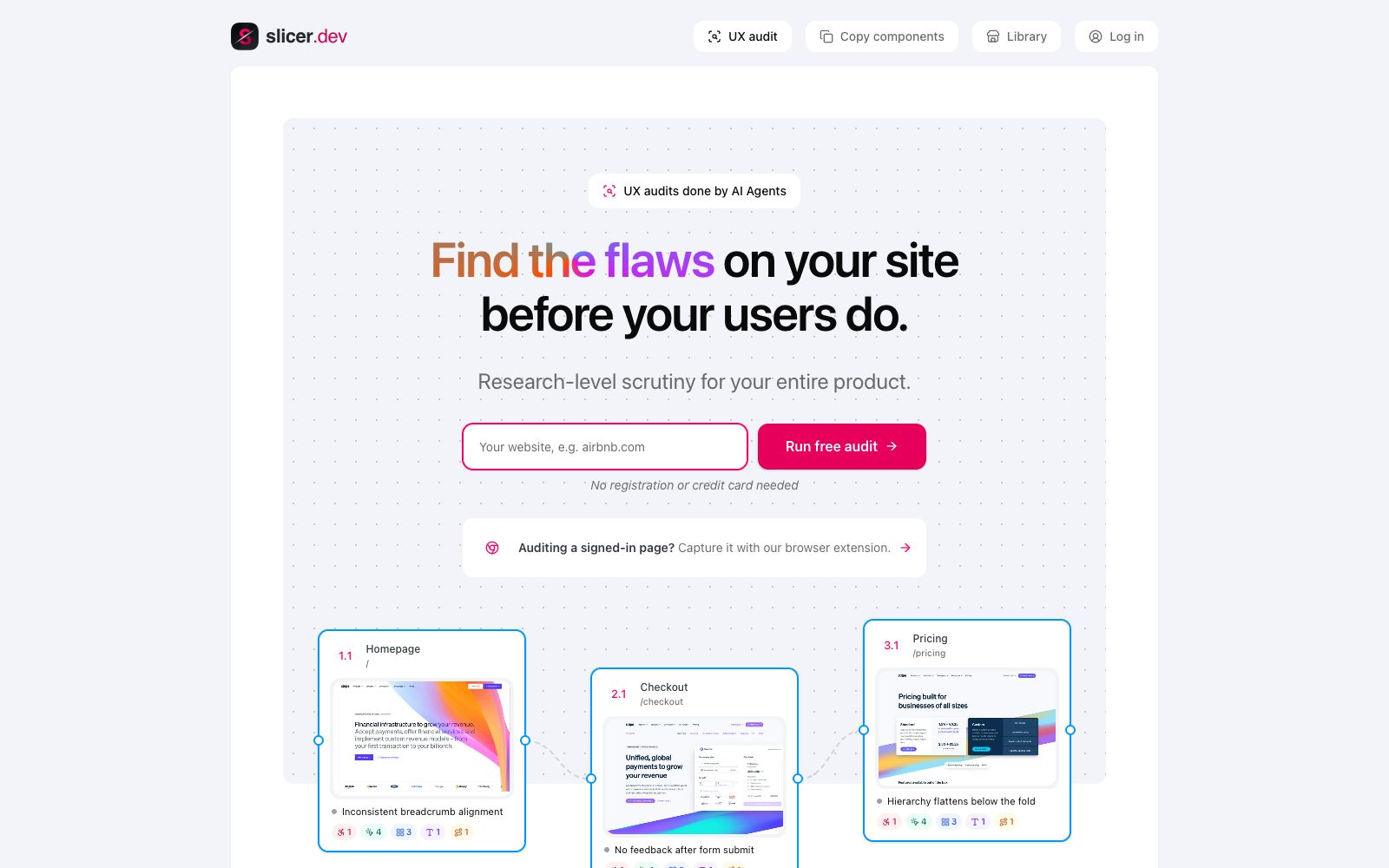
Slicer uses AI agents to audit online product pages, covering copy, hierarchy, usability, processes and accessibility. The official website states that findings will be pinned to specific page elements, and public pages can be run without registration.
Updated: 2026-10-27
What is Slicer?
Slicer's official website positions the product as "UX audits done by AI Agents". After a user submits a URL, the agent browses the product page like a visitor and outputs findings regarding copywriting, visual hierarchy, usability, processes and accessibility. The official website emphasizes that this is "a real audit, not a checklist": the conclusions are pinned to real page elements, rather than just providing an abstract score sheet. No registration is required for public page audits, and you can also use the Chrome extension to capture pages after login.
Who is it for?
- Product teams that need to quickly check the experience of landing pages, registration pages, or checkout pages before launch.
- Designers and front-end engineers who want to pinpoint specific elements for usability and accessibility issues.
- Small teams without a dedicated UX research team who want to get a structured audit before a redesign.
- SaaS teams that need to review post-login private flows and manage evidence and repair priorities.
Key features
6Online Page Audit
The official website states that the audit is conducted on real online pages, covering copywriting, UI, usability, accessibility, and workflows; a workflow is not marked as limited only after actual testing of recorded tasks.
Issue Localization to Elements
The official website states that each issue points to a specific element on a concrete page and is marked with the corresponding journey step, making it easy to hand over to designers or AI agents for handling.
Page Scoring
The official website examples present page content, copywriting, UI, usability, workflows, and accessibility separately, so that prioritization does not rely solely on a single overall score.
Logged-in Page Capture
The official website states that you can use a browser extension to capture logged-in pages and then conduct a focused audit on individual pages.
Public Example Journeys
The official website lists public pages of Linear, Stripe, Notion, Airbnb, Spotify and Figma as examples.
Component Library & Pricing Plans
The official pricing page lists three tiers: Lite, Pro, and Max, which include 5, 20, and unlimited UX audits per month respectively. Component copy quotas also vary by tier.
How to use Slicer
- 1Start with the pages where user drop-off is most obvious, such as the homepage, pricing page, sign-up page, or checkout page, rather than rolling out audits to the entire site at once.
- 2Review low-scoring dimensions alongside findings pinned to specific elements, and prioritize issues that impact key user journeys with clear evidence.
- 3For process-related issues, first record real tasks; otherwise, the process dimension may remain marked as limited according to the official website, and it is not advisable to over-interpret it.
- 4Before auditing a logged-in page, confirm that the extension has captured the required business state and run it page by page to avoid treating test data as formal conclusions.
- 5The official website states that public page audits do not require registration. You can first use a public URL to verify the report format, and then decide whether to purchase a subscription plan.
Traffic & popularity
Data month Sep 2026
Slicer receives about 9.9K visits per month and ranks #1,876,880 worldwide.
Monthly visits
12 monthsTraffic sources
- Direct40.4%
- Search21.2%
- Display ads15.6%
- Referrals7.7%
- Social7.1%
- Other8.0%
Top countries
- Lithuania100.0%
Estimated from third-party traffic data.