


Penseum
Penseum is an AI learning tool that can turn notes and exercises into notes, flashcards and quizzes, explain questions with real-time voice, draw calculations on the screen, point out mistakes, and is suitable for exam preparation for subjects such as biology, chemistry and mathematics.
Updated: 2026-10-26
What is Penseum?
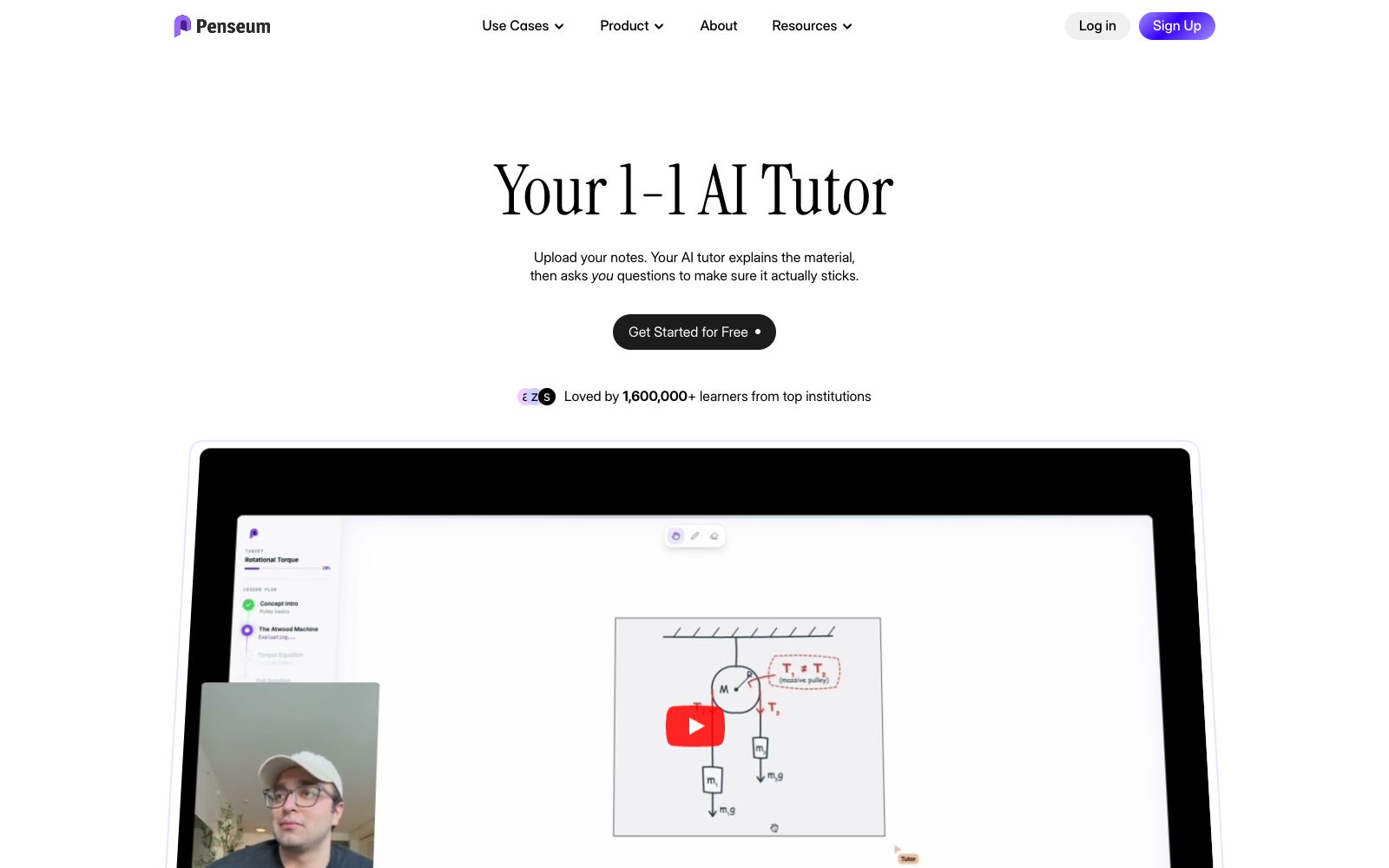
Penseum is an AI learning tool and study guide generator for students, and its official website positions it as a "1-on-1 AI tutor". You feed it your handwritten notes, exercises or answers on the screen, and it will explain step by step with voice, draw diagrams, work out calculations as it speaks, and point out mistakes by checking your written steps. Unlike general chatbots that only send back a block of text, Penseum emphasizes "seeing what you're doing" and "explaining until you understand". The official website states that it has over 1.6 million learners.
Who is it for?
- Students with heavy memorization loads in medicine, biology and other fields: Upload lecture slides to generate flashcards and use quizzes to check for gaps before exams.
- Students who need to see step-by-step solutions for math and chemistry: Ask the AI tutor to write out equations and reaction formulas step by step, instead of just giving the final answers.
- Students preparing for economics and social science exams: Use unit summaries to condense theories and then use practice questions to verify your true understanding.
- People who are used to working out problems by hand: Write your answers directly on the canvas and let the AI point out exactly which step you made a mistake on.
- Self-learners who want someone to explain problems at any time: The official website states that the Discord community has over 1,000 learners communicating.
Key features
6Real-time voice explanation
After you submit a question to it, the AI tutor explains the concepts step by step through real-time voice. You can ask follow-up questions at any time without typing or waiting idly.
Explains while drawing
During the explanation, it draws diagrams, derives equations and annotates the screen on a canvas, turning abstract steps into a visible process.
Error correction based on answers
After a student writes down their answers and steps on the screen, the AI can see their specific approach, point out exactly where the mistake lies and how to fix it, then let them try again.
Weakness Tracking
It records which content you have mastered and which you still lack, and prioritizes the most crucial parts for each study session.
Learning Material Generation
Its official title and description position it as a free AI study guide generator, which can create notes, flashcards and quizzes within seconds based on uploaded materials.
Multidisciplinary Coverage
The official listing includes flashcards, step-by-step solutions and practice questions for biology and medicine, social sciences, chemistry, mathematics, and economics.
How to use Penseum
- Getting started process: After registering, first create a personal workspace, then go through a full round following the process of "asking questions—explaining—practicing—correcting mistakes".
- The official website breaks this process down into five steps.
- Free Usage Limit: The official website positions it as a free AI learning tool, and you can start using it for free.
- The specific usage limit and paid tiers are subject to the in-site pricing page.
- The quality of the output depends on the quality of the materials: Upload well-structured notes or problem sets, and the generated notes, flashcards and quizzes will be more aligned with exam points.
- Check key conclusions: The official FAQ has a question titled "How to ensure the accuracy of generated materials", and it is still recommended to verify against the original textbook when dealing with exam or clinical scenarios.
- Data and Privacy: The official website's FAQ section includes explanations about data security and mobile access.
- Please confirm whether the uploaded materials contain others' privacy or restricted content before uploading.
Traffic & popularity
Data month Sep 2026
Penseum receives about 299.9K visits per month and ranks #106,793 worldwide.
Monthly visits
12 monthsTraffic sources
- Search49.4%
- Direct27.1%
- Social17.0%
- Referrals2.7%
- Mail2.7%
- Other1.2%
Top countries
- United States37.4%
- Philippines18.9%
- Canada5.1%
- United Kingdom2.6%
- Italy2.4%
Estimated from third-party traffic data.
Similar tools
 CuFlowA learning tool that converts PDFs, courseware, screen recordings or YouTube videos into summaries, mind maps, flashcards and quizzes. The official statement says that the AI teaching assistant only answers based on the uploaded materials, and it is currently in the waiting list for internal testing.
 AuralixConvert notes, PDFs and Zettelkasten notes into interactive course learning tools. The official says it will advance teaching according to the parts you have mastered, intersperse check questions and final tests, and support making courses into templates for others to clone.
 FlashkaAn AI learning application for students that can convert courseware, PDFs and classroom recordings into flashcards, mind maps and mock exam papers, paired with spaced repetition and AI tutor Q&A, it is suitable for sprint exam preparation.
 SpeakPalSpeakPal is an AI language learning platform that supports more than 30 languages. It lets users practice real conversations through role-playing, corrects pronunciation and grammar in real time, allows switching between English accents, and generates verifiable level certificates.
 MindsmithMindsmith is an AI-native courseware creation tool that can automatically convert documents, PPTs, videos, or standardized processes into interactive courses with dialogues, branching storylines and quizzes, supporting the export of standard courseware packages and learning data analysis.
 DuegooderA semester planning tool built for university students. Upload your syllabi or connect your school system, and it automatically extracts assignment deadlines, creates daily to-dos, and syncs everything to your calendar. Ideal for undergraduates and international students juggling multiple courses at once.