


LYKN
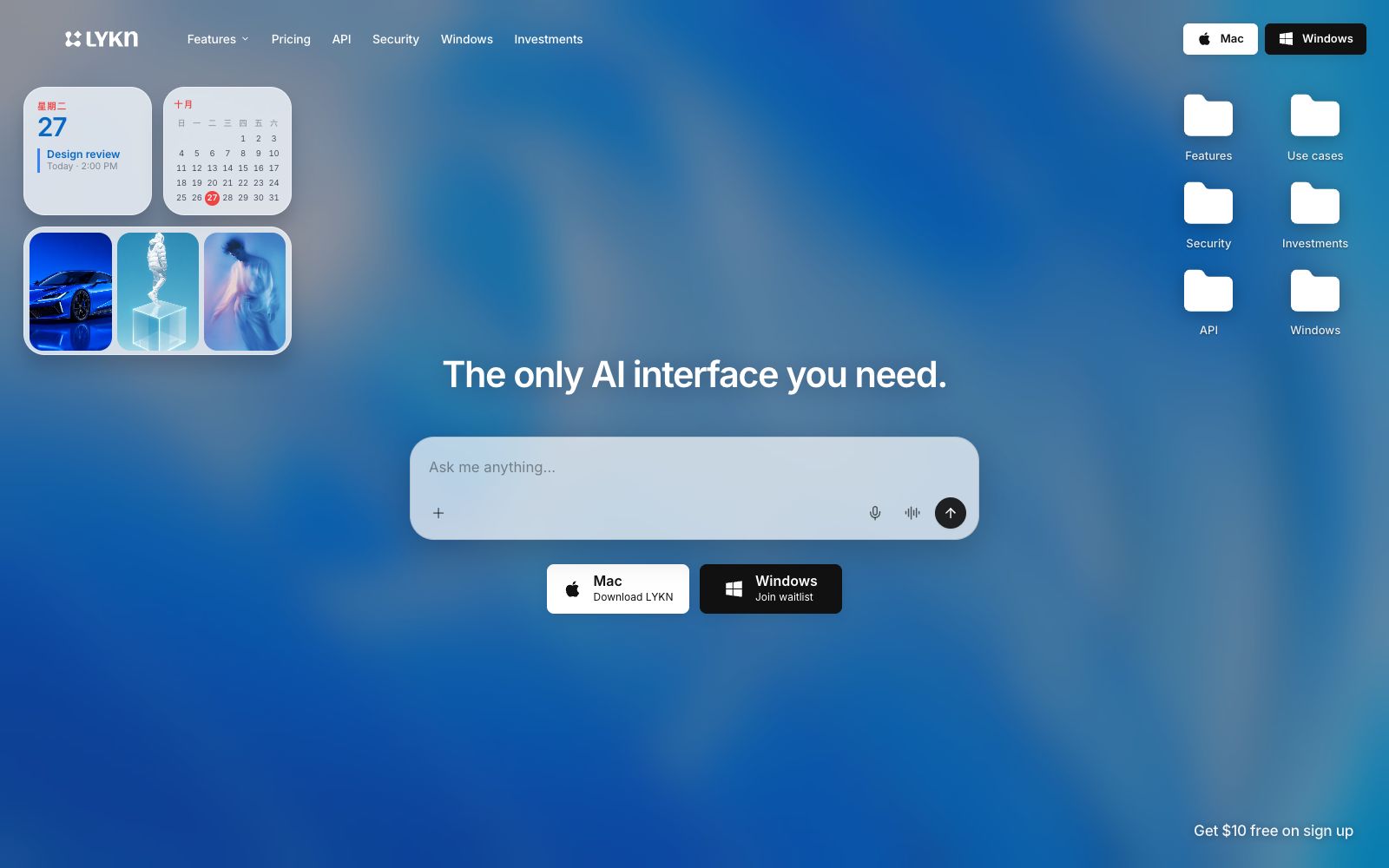
LYKN is a desktop personal AI as described on its official website, with the ability to summon chat, creation, research, voice and browsing functions via shortcut keys. The official website states that it can understand local files, connect to a large number of applications and perform repetitive tasks, allowing users to switch back and forth fewer times between multiple windows and web pages.
Updated: 2026-10-27
What is LYKN?
The official LYKN website describes it as an available personal AI: you can call it up with a keyboard shortcut on the desktop, understand files, complete computer work, build software, generate content and conduct research. The official website also describes the usage of collaborating with connected applications and entrusting real tasks to intelligent agents, and states that the desktop application can synchronize files in desktop folders and file managers.
Who is it for?
- Power desktop users who don't want to switch between multiple web pages and applications.
- Individual creators who want to compare different models and centralize their commonly used capabilities in one access point.
- Small teams that want AI agents to handle data organization, research, and repetitive tasks.
- Users who have existing workflows with document, email, calendar, and chat tools and wish to have AI directly connect to their current systems.
- Independent creators who need to complete data analysis, writing, creative work and software development in the same desktop environment.
Key features
6Desktop Access
The official website states that it can be summoned with a keyboard shortcut, and functions such as chat, building, imagination, voice, research, and browser are all accessible from the desktop.
Model Aggregation
The official website states that it provides access to over 260 models, including open-source, closed-source, and diffusion models, which can be routed under a unified subscription.
App Integration
The official website states that it can connect to over 1,500 tools, collaborate with systems such as email, documents, calendars, and chat without the need for migration.
Real Task Execution
The official website states that the AI agent can browse, use connected apps, and deliver completed research, inbox triage, and repetitive workflows.
Desktop Sync
The official website states that the desktop app can sync desktop folders, files in the file manager, and wallpapers, bringing the file context directly into conversations.
Unified Interface
The official website states that an interface key is being developed to cover all 260+ models, supporting text, code, voice, images, videos, etc., but this is marked as "coming soon" on the page.
How to use LYKN
- 1First, narrow down file reading and connected app permissions to the current project, and confirm that the AI only accesses necessary context.
- 2Run a trial with a repetitive workflow, such as data aggregation or inbox triage, and verify the delivery quality before expanding the scope of automation.
- 3The official website states that another desktop version is still on the waitlist, and cross-platform teams should first confirm the current device support status.
- 4The unified interface is not yet launched, so do not schedule it as a currently available capability for development requirements.
- 5Establish an isolation strategy for sensitive files and high-permission accounts to prevent the personal assistant from retaining information that should not be kept long-term.
- 6When comparing models, fix the same task and evaluation criteria, then record the output differences of different models, and avoid mistaking changes in prompt words for differences in model capabilities.
Traffic & popularity
Data month Sep 2026
LYKN receives about 2.0K visits per month and ranks #7,557,387 worldwide.
Monthly visits
7 monthsTraffic sources
- Direct30.2%
- Search28.6%
- Referrals12.1%
- Display ads9.3%
- Social6.7%
- Other13.1%
Estimated from third-party traffic data.
Similar tools
 AI/ML APIA unified interface service aggregating thousands of AI models. Its official website states that it covers modalities such as dialogue, reasoning, images, videos, audio and search, is compatible with mainstream programming agents, and provides MCP access and an online trial sandbox.
 IncredibleDesktop agent running on Mac and Windows: Like you, it clicks and inputs in browsers, files and over 3,000 apps, handles repetitive tasks such as cross-spreadsheet verification, file organization, and lead entry into CRM, and supports voice-based task assignment.
 i10xA subscription-based AI workspace that, according to its maker, provides access to leading models such as ChatGPT, Claude, Gemini, and Grok through a single subscription. It also includes over 500 agents, image and video generation, and app integrations, with plans starting at $20 per month and a 7-day refund policy.
 QoderWorkAli Qoder's Agent Workbench, with a programming agent as the core engine, covers coding and general tasks. Officially, it is said to be able to control browsers and desktop applications, and supports multi-terminal collaboration on desktops, cloud and mobile devices to advance tasks and deliver results.
 Dangbei AIA free dialogue platform aggregating multiple large models such as DeepSeek, Doubao, Tongyi, and Zhipu, requiring no registration, supporting AI writing and knowledge bases, suitable for casual questions and light creation.
 Haye AIAn AI chat client for macOS, the official says it integrates a variety of top-tier models in one application, and you can use shortcut keys to ask questions about any application, text, screenshots and local files.