


Beautiful AI
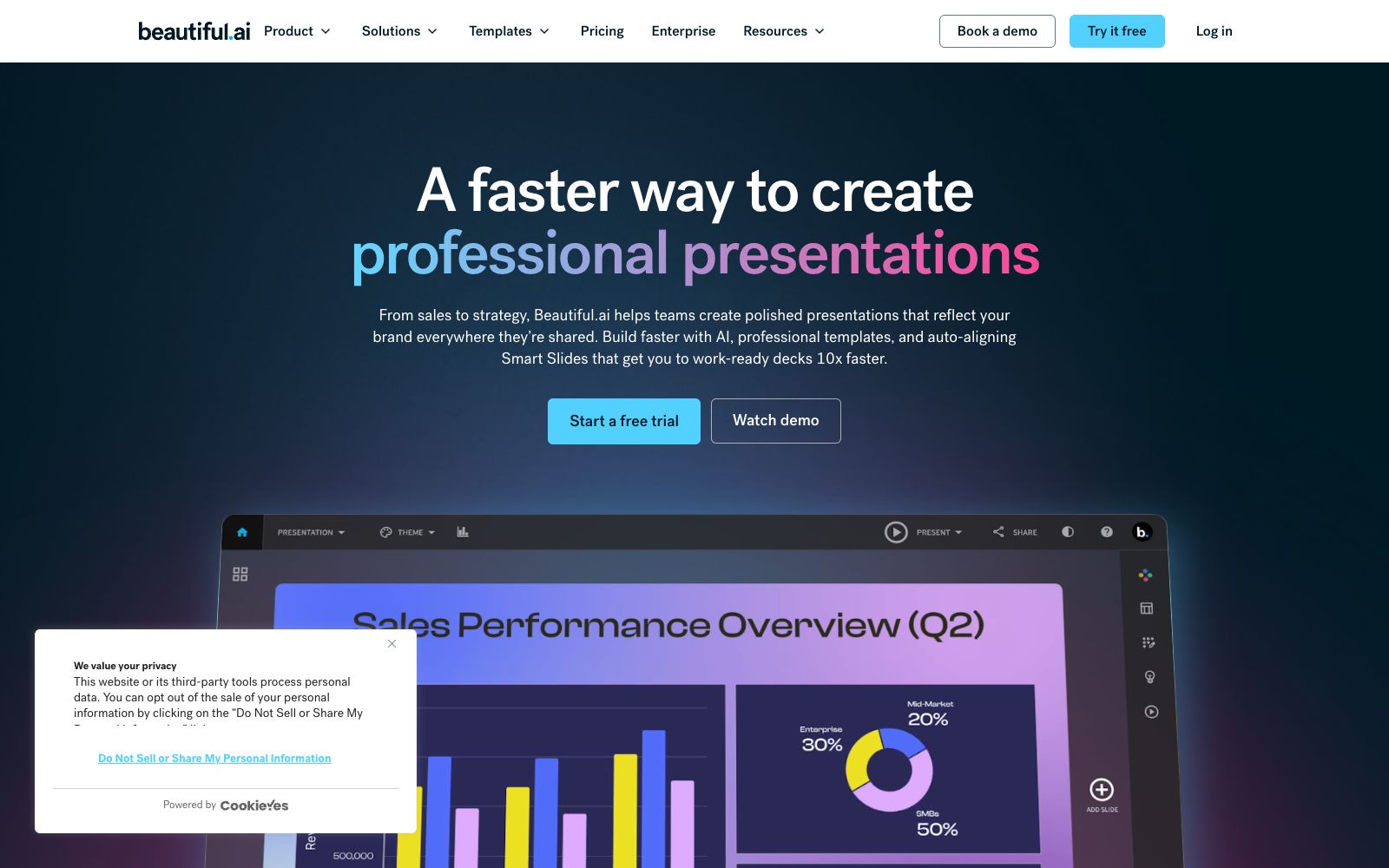
An AI presentation software for teams, officially positioned to create professional-level slides faster. It has more than 300 Smart Slide layouts, data-linked charts and theme customization built-in, and supports brand unification and batch workflows.
Updated: 2026-10-26
What is Beautiful AI?
Beautiful.ai is an AI presentation software for teams, and its official website tagline reads "AI Presentation Software for Teams". Its difference from ordinary presentation tools lies in leaving the typesetting to the software: users only adjust the content and structure, while Smart Slides takes care of positions, font sizes and alignment. There is no need for overall rearrangement after revising a presentation.
Who is it for?
- People in sales and marketing teams who create client proposals and need multiple materials to have a consistent style
- Founders of startup teams who conduct roadshows and iterate on the same narrative structure repeatedly
- Consultants and agencies who create customized solutions for different clients and need to apply brand guidelines
- Analysts and operations professionals who need to submit regular data reports every week and require charts to update automatically
- People from training and curriculum teams who create course materials and need to reuse existing templates
Key features
7Smart Slides
The official website describes this as a built-in designer. Over 300 smart layouts automatically align elements, eliminating the need for manual positioning when adding new content.
AI Workflow
Described on the official website as "Discover an AI workflow that delivers what you ask for", it supports starting from an idea, first sorting out the story line, and then determining the color and visual direction.
Data-linked Charts
Charts are linked to data sources, and graphics refresh synchronously when data is updated, making them suitable for reporting scenarios that require frequent presentation of figures.
Built-in Animations
Slide animations are provided along with the layout, eliminating the need to set up timelines separately.
Theme & Brand Control
The official website lists Customizable Themes and Brand control, which are used to maintain visual consistency when multiple people or multiple departments create outputs.
Import and Export
Supports import and export of PowerPoint, making it easy to switch back and forth between existing templates and files.
Deliverable Finished Slides
The official website features a template library of Slide templates and Presentation templates, and also provides a free plan entry for students.
How to use Beautiful AI
- 1First, use AI to generate the narrative skeleton, then manually revise the content, and finally adjust the style. Reversing the order will lead to repeated revisions.
- 2The website positions Iterate without rebuilding as a selling point, but in actual use, you still need to define the outline first; don't expect it to make structural decisions for you.
- 3The paid version includes unlimited AI content generation as stated on the official website, but you still need to pay attention to the quotas and fair usage rules.
- 4The free trial is limited in duration as stated on the official website; first confirm whether your use case can be completed within the trial period.
- 5The Team and Individual versions differ significantly in brand control and collaboration permissions; check the feature comparison table on the official website before choosing a version.
- 6Complex layouts imported from PowerPoint may have inconsistencies; check each slide carefully before final delivery.
- 7You need to confirm the commercial license for the image materials yourself; the tool itself does not resolve copyright issues for you.
- 8Official pricing and package terms are subject to change; refer to the Pricing page on the official website before purchasing.
Traffic & popularity
Data month Sep 2026
Beautiful AI receives about 385.3K visits per month and ranks #85,948 worldwide.
Monthly visits
12 monthsTraffic sources
- Direct50.5%
- Search33.0%
- Referrals6.9%
- AI assistants4.2%
- Social2.3%
- Other3.1%
Top countries
- United States26.9%
- India12.0%
- Indonesia5.7%
- Egypt3.3%
- China2.6%
Estimated from third-party traffic data.
Similar tools
 SlideSpeakAn AI presentation tool that turns PDFs, Word documents, Excel spreadsheets, or a single theme into editable slides, exports native PPT files, and fully retains fonts and layouts.
 1dppt1dppt is an AI presentation tool operated by Guangzhou Wei'a Information Technology Co., Ltd. It supports generating PPTs in one sentence, converting documents to PPTs in seconds, and features AI automatic typesetting and polishing, as well as a vast number of templates and Agent mode.
 AlaiAlai is an AI presentation tool focused on brand consistency. It first builds a design system using brand assets, then batch-generates slides, social media graphics and infographics, and supports conversational modifications. It is suitable for marketing and sales teams to quickly produce drafts.
 SmallpptAn AI presentation tool that can generate a complete set of slides by entering a topic or importing a file. It has a built-in library of business and education templates, supports one-click style switching and real-time multi-person collaboration, and is suitable for rushing reports and making courseware.
 PrezentPrezent is an AI presentation platform for life sciences that can generate compliant slides, scientific posters and literature reviews, and provides expert human services. It is suitable for pharmaceutical medical affairs and medical communication agencies.
 MagicSlidesAn AI presentation tool that can generate a complete set of slides by entering a topic, pasting text or uploading PDF and video links. It supports layouts such as SWOT and timelines, and over 136 languages. It is suitable for quickly creating courseware and roadshow scripts on the spot.