


Vidmoat
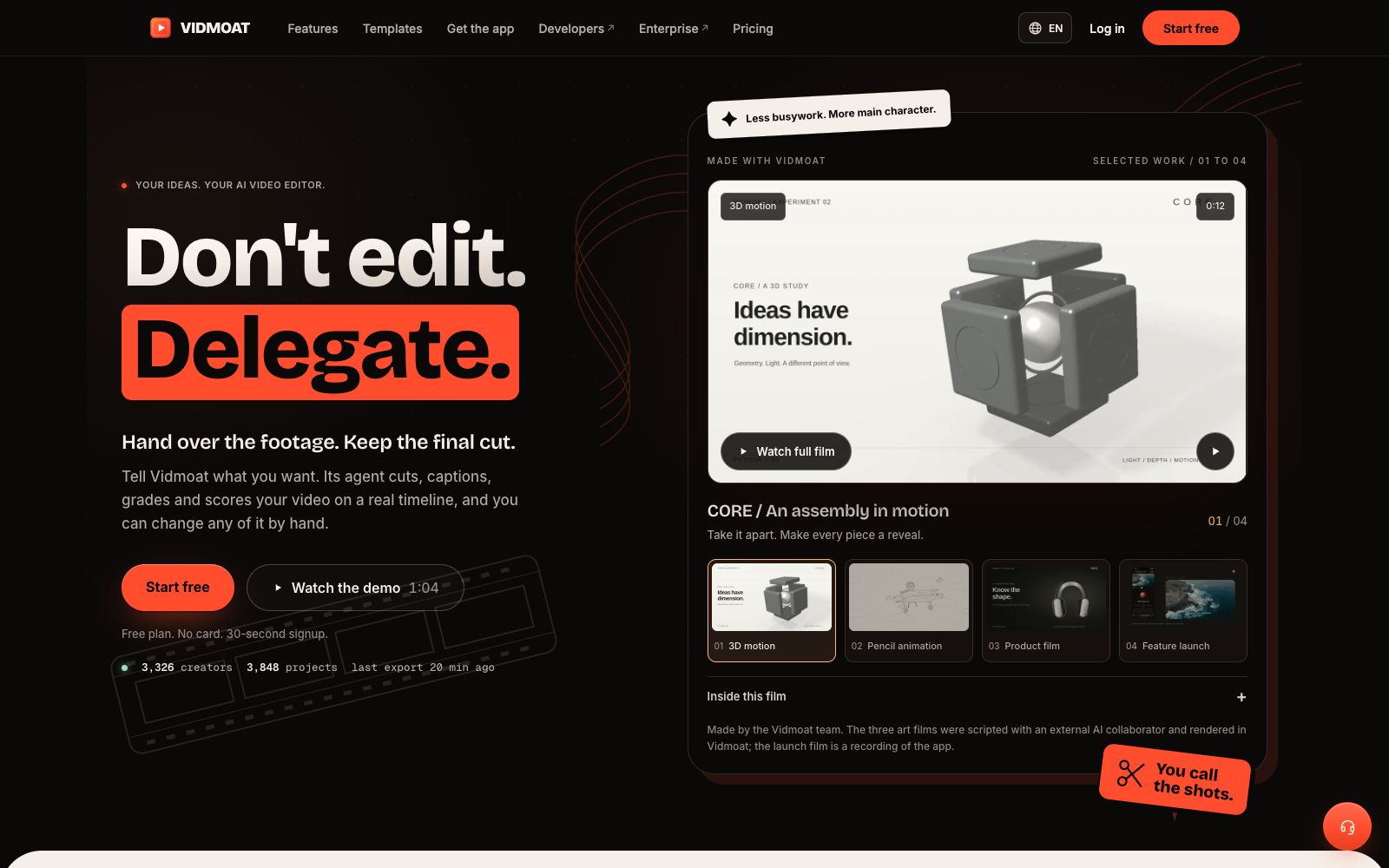
Vidmoat is an AI video editor that supports "delegated clipping". The official states that its Agent can review all the footage, perform cutting, subtitle addition, color grading and soundtrack matching on a real timeline, with the entire process allowing manual modification and undo; it offers a way to type, send messages or make calls to let Otto edit clips while chatting, and the free plan is available to start.
Updated: 2026-10-27
What is Vidmoat?
Vidmoat's official slogan is "Stop editing, delegate it out." It is a hosted AI video editor: you upload your footage, state the desired effect, and the Agent will watch every minute of content, perform cutting, subtitling, color grading and配乐 on a real-time timeline, then return a finished product that you can still manually modify to you. The product is developed by Buzz Innovations, a UK-registered company, and it specifically states that it has no connection with VidMate, an Android downloader.
Who is it for?
- Podcasters and short-video creators who don't want to learn editing software and just want to describe the effects they want.
- Individuals and teams who have a large amount of game footage, course or fitness material and need to produce videos in batches.
- Multi-device creators who start projects on mobile and refine them on desktop.
- Professional editors who want AI to handle the rough cut while retaining final creative control.
Key features
6Delegated Editing
The official statement says the Agent will understand the material content word by word, plan multi-step edits and conduct self-checks, only modifying the parts you request; you can type, send messages or make calls to let Otto edit while chatting.
Real Timeline
Every operation performed by the Agent falls on an editable timeline. It presents the plan first and then executes it, and any step can be undone or adjusted manually.
In-call Experts
The company states that you can invite AI expert roles such as colorists into calls, with costs and limits displayed per minute, and you can also hand over the project to human editors.
Cross-device Sync
Open the same project and run the same Agent on both iPhone and Android apps; start on the go and finish at your desk.
Verifiable Export
The official statement says that MP4 and WebM exports come with signature tags that can be verified on its ledger.
Transparent Pricing
AI operations show costs clearly. The free plan includes 3 projects and 8 exports (720p with watermark); the Creator plan costs $19 per month and unlocks 4K exports without watermarks.
Things to know
Usage Tips
- The free plan requires no credit card; just upload a clip of footage and try a prompt like "Cut it into a fast-paced TikTok".
- After the Agent presents the plan, review it first before confirming. For steps you're not satisfied with, revise them using natural language instead of starting over.
- Manually fine-tune keyframes and subtitles using the timeline, and treat the Agent as a rough cut assistant rather than a fully automated one.
- Before inviting an AI expert in a call, check the per-minute fees and limits first to control costs.
- After exporting, verify the signature tag through the official portal to ensure the deliverable version is traceable. The official has displayed various examples of creator workflows: gaming (editing a six-hour video into a highlight reel), podcasts (extracting twelve short clips from one long episode), cooking (recipe videos that viewers can follow along with), fitness (movement breakdowns and follow-along tutorials), real estate (keeping the first five seconds of property tours engaging), courses (editing out awkward silences in course videos), music (beat-synced editing), and products (capturing hard-to-film shots). Regarding the trust mechanism, the official emphasized three points: AI operations will first display costs and the per-minute rate before execution; the clips created by Agents are placed on an editable timeline with each step reversible; and exported files come with verifiable signature tags. The product supports both iPhone and Android applications, allowing the same project and the same Agent to be opened on mobile and desktop devices; the official website also provides a template library and a developer portal (API and MCP).
Traffic & popularity
Data month Sep 2026
Vidmoat receives about 5.7K visits per month and ranks #3,063,207 worldwide.
Monthly visits
6 monthsTraffic sources
- Direct29.9%
- Search27.8%
- Referrals12.5%
- Display ads8.9%
- Affiliates6.9%
- Other13.9%
Top countries
- United States100.0%
Estimated from third-party traffic data.
Similar tools
 ChoppityChoppity is an AI video editor that automatically cuts podcasts and long videos into more than 30 short videos with subtitles and automatic framing, and supports one-click publishing to various social media platforms.
 InVideoAn AI video platform for creators and teams, focusing on AI agent-assisted editing: upload materials and describe requirements to complete rough cutting. It has built-in storyboards, scripts, timelines and multi-person collaboration, suitable for large-scale production of marketing videos.
 TypedreamA no-code AI website building tool that generates a landing page in one sentence. It allows you to sell digital products, collect email addresses, publish blogs and forms, and also create a link in bio personal homepage.
 PalmierPalmier Pro is a video editor built for AI. Officially, it claims to use Claude or Codex for automatic clipping, generate materials on the timeline, and then export them to professional editing software for further refinement, making it suitable for agency workflows.
 captionrichAn AI dubbing video editing tool based on text editing, the official website states that editing can be completed by modifying the transcription script. It automatically removes filler words and awkward pauses, supports B-roll insertion, motion graphics subtitles, and translation into more than 50 languages, and is targeted at the short video and podcast editing scenarios.
 TellersTellers is an AI video editing Agent from Paris. It can retrieve shots, create an editable timeline from raw footage or a description of requirements, make further edits through dialogue, and export the final video or an XML file for professional editing software.