


LayerBack
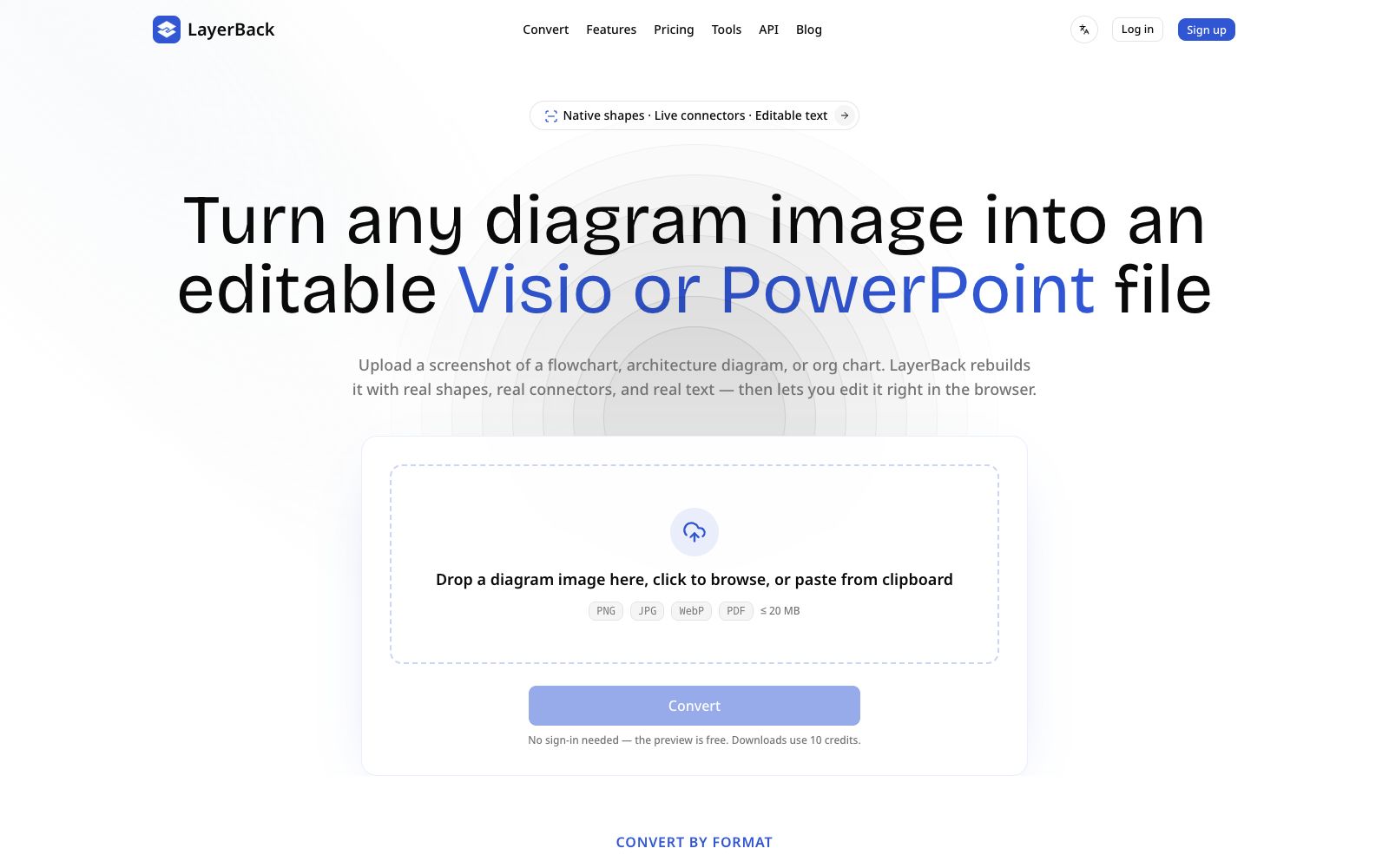
Convert screenshots of flowcharts, architecture diagrams and organization charts into editable files. The official says that one conversion can output VSDX, PPTX, draw.io and SVG at the same time, retaining real shapes, connecting lines and editable text, with online modification available.
Updated: 2026-10-26
What is LayerBack?
LayerBack is an online tool specialized in "converting chart images into editable files". It targets flowcharts, architecture diagrams and organization diagrams for which only a screenshot or PDF is available: after uploading, the system reconstructs the actual shapes, real connecting lines and editable text, allows you to make changes in the browser, and then exports the files as Visio, PowerPoint or draw.io files. The difference emphasized by the official side is that most converters merely embed images into file containers, while LayerBack reconstructs the diagrams themselves.
Who is it for?
- Engineers who only have screenshots of old system architecture diagrams and need to continue editing them.
- Teachers and students who need to convert diagrams in PDF papers or reports into editable flowcharts.
- HR and administrative staff who need to convert organization charts into PPT slides.
- Teams that need to migrate a large number of historical charts and require batch processing via API.
- People who don’t have Visio installed on their computers but need to temporarily view VSDX files.
- Operations and implementation personnel who take over second-hand projects and only have image versions of diagrams.
Key features
6True Shape Reconstruction
Rectangles, diamonds, containers and labels are restored as native objects in Visio and PowerPoint, which can be moved, restyled and rewritten.
Connection lines stay attached
The official statement says each arrow remains connected to its corresponding shape, and the connection lines move along when the shape is dragged.
Editable Text
Each label in the chart is converted into real editable text, not just a layer of pixels on the image.
Four formats in one conversion
The official states that each conversion includes four outputs: VSDX, PPTX, draw.io, and SVG, eliminating the need for repeated conversions for different formats.
In-browser editing
You can make online modifications before downloading, and the conversion history is retained.
Multiple entry tools
It provides image/PDF/PNG to Visio or draw.io, image to PowerPoint, image to flowchart, AI image to diagram conversion, as well as a free VSDX viewer.
How to use LayerBack
- Free preview is available without logging in.
- confirm the recognition results first before downloading.
- The official states that downloading consumes 10 credits.
- Try to provide a clear, high-resolution original image before uploading.
- the official notes that clearer images yield better fusion results.
- Supports PNG, JPG, WebP, and PDF formats, with a file size limit of no more than 20 MB.
- The official says it takes about 30 seconds to convert from pixels to editable files.
- For complex diagrams, it is recommended to set aside time for proofreading, with a focus on checking the text and arrow directions.
- For bulk migration, use the REST API provided on the official website, which is designed for bulk migration, automated pipelines, and AI Agent scenarios, according to the official statement.
- The Free version ($0) includes all output formats, an online editor and conversion history, but only 2 conversion tasks can be queued at a time.
- the Pro plan is $20 per month, or a discounted $10 per month for an annual subscription, offering 1,000 monthly credits (officially about 100 conversions) and API access, with failed conversions automatically refunding credits.
- Prices and quotas are subject to change.
- please verify before subscribing to the paid plan.
Traffic & popularity
Data month Sep 2026
LayerBack receives about 129 visits per month.
Monthly visits
6 monthsTraffic sources
- Direct29.4%
- Search28.4%
- Referrals12.0%
- Display ads9.8%
- Social7.0%
- Other13.4%
Top countries
- United Kingdom100.0%
Estimated from third-party traffic data.
Similar tools
 DeepPDFOnline PDF research assistant that supports conversing with documents, bilingual parallel translation, long text summarization, interpretation of charts and formulas, as well as OCR and format conversion. The official states that the maximum file size for a single document is 200MB and translation covers more than 100 languages.
 DokieOnline AI presentation tool, officially said to be able to create professional, clean-layout slides that align with brand tone in minutes, supports free generation and editing of PPTs, suitable for scenarios where you need to quickly deliver a decent presentation draft.
 AidocmakerAidocmaker is a free online AI document generator. It can generate PDF, Word, Excel and slides in one click according to templates. It supports more than 50 languages and attachment import, and is suitable for quickly drafting reports, contracts, proposals and invoices.
 Toolsmart AIAn online platform aggregating over 50 free AI and PDF tools, covering document, spreadsheet, presentation, PDF, image and video processing. It is integrated with the AI capabilities of WPS Office, and the official claims that some models are free and unlimited.