


Drawings Alive
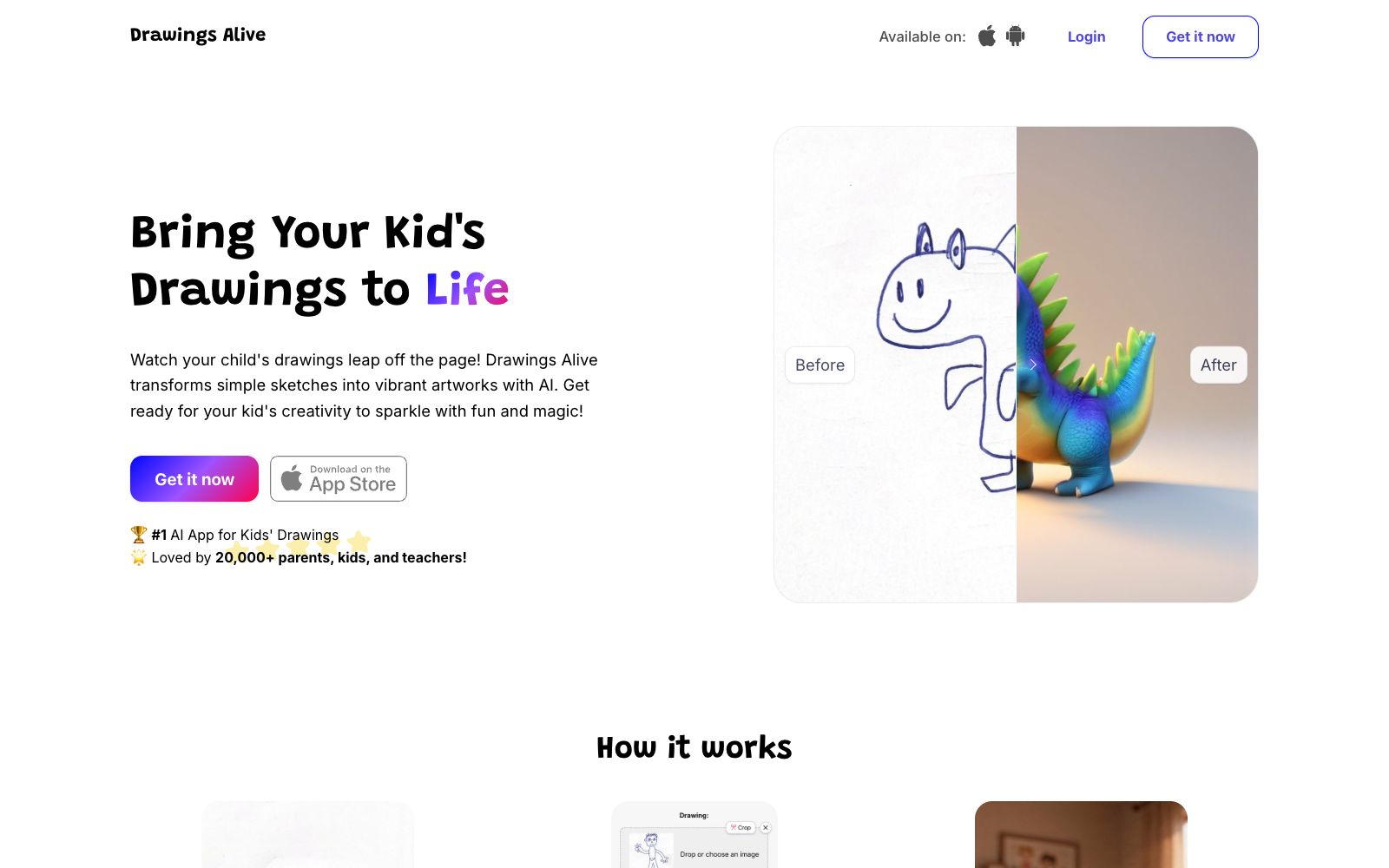
An AI painting tool for children's doodles redraws children's simple sketches into complete paintings, and can also generate 6-second animated short clips with one click. The official says more than 20,000 families are using it.
Updated: 2026-10-26
What is Drawings Alive?
Drawings Alive is an online AI tool focused on children's painting. Its official website is positioned as "Bring Your Kid's Drawings to Life". The way it works is that you take a photo or scan a child's doodle, upload it, write a short description, and then the AI redraws the simple lines into a complete painting. The official page states that more than 20,000 parents, children and teachers are already using it. The difference from common general image generation tools is that it only focuses on children's doodles, and the image generation style tends to be childlike and picture-book-like.
Who is it for?
- Parents who want to turn their children's casual doodles into framed paintings and growth memory books.
- Kindergarten and primary school teachers who need to digitize students' art assignments and create display walls or presentation materials.
- Creators of parent-child content and children's IP accounts who need stable children's-style painting materials.
- Children's picture book and cultural and creative practitioners can quickly turn drafts into discussable visual solutions.
Key features
6Upload drawings or draw in app
Take photos or scan hand-drawn works to upload, or draw directly in the app, eliminating the scanning step.
Write a short description
Write a brief note for the doodle to help the AI understand the content of the picture. The official says the more specific the description, the more accurate the result.
Watch the magic happen
Submit your drawing and the redrawing will be completed in a few seconds. The official description says you can get a complete work in just a few seconds.
Bring drawings to life with videos
Turn your drawings into 6-second animated clips, and the characters can move and dance on the screen, according to the official description.
New styles
The official provides styles such as Toy Bricks, Plush toy, and Blocks Game. You can regenerate the same drawing with different styles repeatedly.
Web App and Mobile
The official website provides access to the web version, and it is marked as Available on various app stores, allowing parents to use it on their mobile phones.
How to use Drawings Alive
- 1Align the camera directly with the drawing and ensure uniform lighting when taking the photo; skewed angles and shadows will significantly affect the accuracy of the redrawn artwork.
- 2Write the description in the format of "subject + action + scene", which makes it easier to get the desired result than just writing "a cat".
- 3Confirm the copyright and usage rights of your child's artwork before uploading, and check the scope of authorization as stated on the official website before public release or commercial use.
- 4Free credits and subscription tiers are subject to the Pricing page on the official website, which offers monthly and annual plans with annual discounts noted; double-check before subscribing.
- 5Conduct a privacy assessment before sharing children's portraits and their artwork to avoid exposing sensitive information such as the children's names and schools.
Traffic & popularity
Data month Sep 2026
Drawings Alive receives about 883 visits per month and ranks #16,457,060 worldwide.
Monthly visits
12 monthsTraffic sources
- Direct39.1%
- Search35.3%
- Referrals9.7%
- Social6.3%
- Mail3.0%
- Other6.6%
Top countries
- United States57.8%
- Indonesia42.2%
Estimated from third-party traffic data.
Similar tools
 Autodraft AIAn AI animation tool for YouTube cartoon story channels that can automatically generate characters, backgrounds and dubbing, provides fine animation control over expressions, mouth shapes, props and more. The official website claims that more than 1,500 channels have achieved monetization through it.
 AutoDrawAutoDraw is a free doodle tool launched by Google. Officially, it pairs machine learning with images drawn by artists to help you quickly create decent stick figures, and you can use it as soon as you open the webpage.
 FoloToyAI conversational companion toy brand. The official said that the plush toy can start a conversation by pressing the paw pad. Parents can customize the voice and topics in the App, and are provided with a parent dashboard for content management. There is also an AI conversation chip module that can be installed in any plush toy.