


Colormind
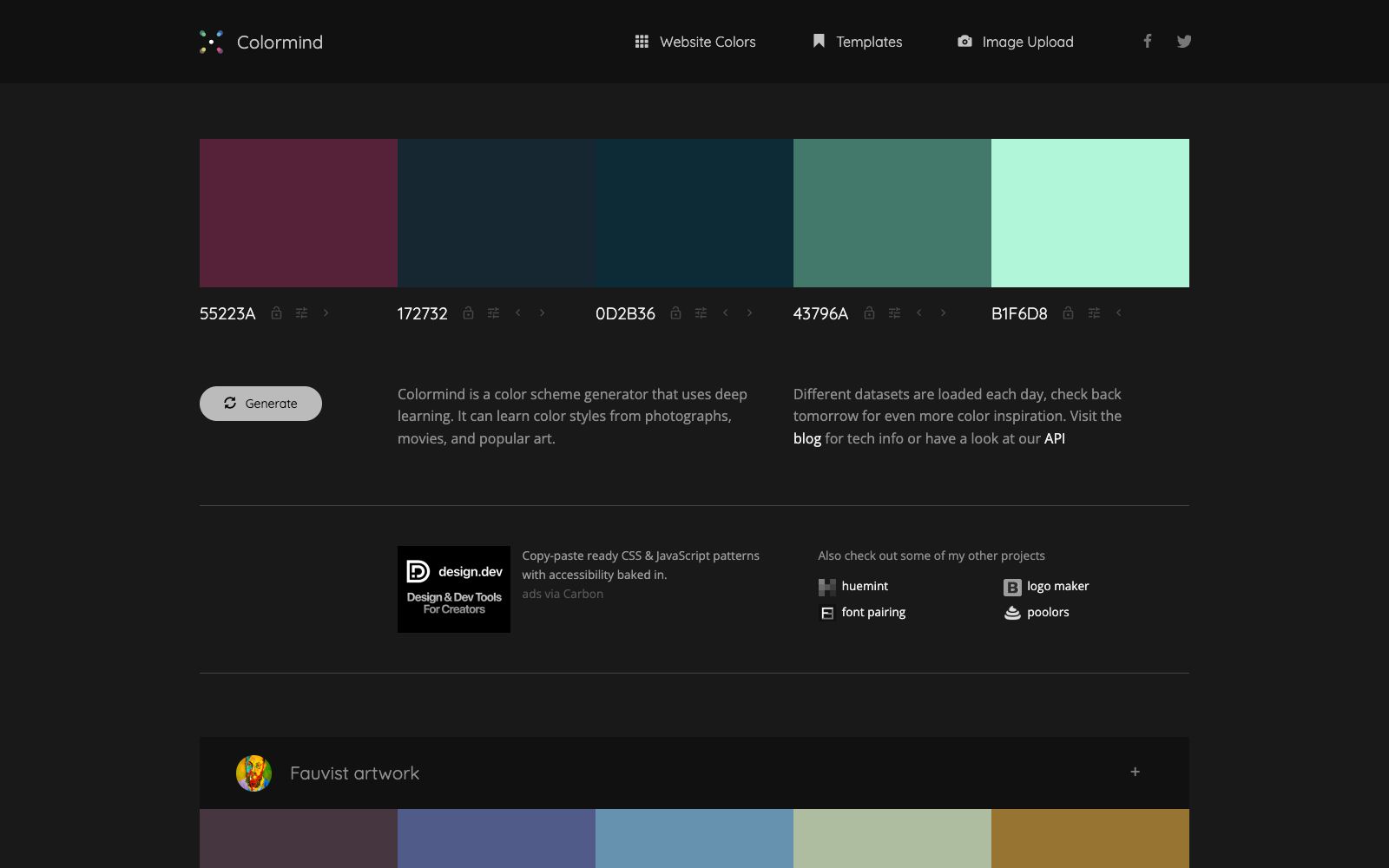
A web tool for generating color schemes using deep learning. After locking the main color, you can one-click complete the entire color palette. The materials are taken from movies, photography and animation. The dataset is refreshed daily, and an API interface is also provided.
Updated: 2026-10-30
What is Colormind?
Colormind is a web tool for color matching using deep learning, officially described as generating color schemes with one click. Its special feature lies in the data source: instead of calculating based on color wheel rules, the model learns color matching styles from photos, movies and popular art, so the solutions it provides are closer to the color relationships of real scenes. The in-site dataset is rotated every day, and you will get different inspirations when you check it the next day. This makes it a bit old-fashioned but durable among similar generators. It is more like an inspiration tool rather than a color matching system, suitable for finding directions in the early stage of a project. You can try it as soon as you open the webpage, and it is enough to come up with a solution on the spot in a meeting.
Who is it for?
- Designers who create web and App interfaces and need to quickly define color palettes.
- Illustrators and conceptual design creators who want to borrow a set of color relationships from movies and animations.
- Operations and consulting consultants who create PPTs and infographics and need color palettes that look harmonious.
- Student clubs and small studios that design posters and display boards and do not have a budget for professional design software.
- Front-end developers who need to define semantic colors for component libraries.
Key features
6One-click Generation
It can randomly generate a set of coordinated five-color schemes without any conditions, which is ideal for breaking the ice when there is no direction at all, and you can first see several possibilities and then narrow them down.
Lock the main color
When you have a definite brand color, lock it first, then let the model fill in the remaining colors, and the locked color will not be modified after generation.
Adjustable Position
The official prompt indicates that the position of colors affects the result; the same set of colors will have a different visual effect when the order is changed, so it is worth trying several times for the same main color.
Thematic Datasets
Built-in thematically curated datasets such as Makoto Shinkai, Lava & Flame, Portrait Photography, and the film *The Fall*; the dataset names themselves serve as style prompts.
Image Color Extraction
You can extract color relationships from uploaded images and then generate color palettes with the same tone, which helps align with the main visual when creating event pages.
Templates & API
The platform provides color matching templates, allowing you to see how the same set of colors looks on an interface; the official API is also open, enabling developers to integrate color matching capabilities into their own tools.
How to use Colormind
- Lock the brand's primary color first before generating.
- otherwise, each result will start from scratch, making it hard to converge toward a direction.
- Locking just one color is enough—don't lock all colors at the beginning.
- After generating, test the color swatches in a real interface.
- A solid color swatch looking good doesn't mean it's suitable for text and buttons, and contrast issues on buttons are the most likely to occur.
- Regenerate the same color palette by changing the positions of several colors, and you'll often stumble upon a more suitable combination, especially when you need to create distinct layers between the two main colors.
- Check with a color blindness simulation tool before finalizing the design.
- Relying on hue to distinguish states can easily lead to mistakes, especially for brand projects with primary color constraints.
- color matching for digital products is the most easily overlooked aspect.
- Jot down the hexadecimal values of the color palettes you're satisfied with.
- a screenshot alone isn't enough, as you'll need them for later color adjustments.
- When picking colors from movie or photography datasets, be mindful of the original work's copyright—directly using the entire style for commercial purposes carries risks.
- Also, make a note of the dataset names for easy retrieval next time.
Traffic & popularity
Data month Sep 2026
Colormind receives about 280.9K visits per month and ranks #136,245 worldwide.
Monthly visits
12 monthsTraffic sources
- Direct56.3%
- Search34.9%
- Referrals3.9%
- AI assistants1.9%
- Mail1.9%
- Other1.0%
Top countries
- United States11.6%
- Brazil4.6%
- Canada4.2%
- Russia4.0%
- Taiwan, China3.6%
Estimated from third-party traffic data.
Similar tools
 MeowaAn AI game art studio for independent developers, generating pixel characters, sprite sheets, props, maps and UIs, also producing music and sound effects and planning gameplay with a design Agent.
 PixSproutAn online tool that converts text or images into seals. You can describe your creativity to generate logos, or upload photos to create rubber stamp texture images. It supports multiple modes including portraits, pets, and objects, and exports transparent PNGs.
 Evidently AIAn open-source AI evaluation and observability framework under the Apache 2.0 license, which can evaluate the quality, drift and security risks of LLMs, RAG, Agent and machine learning models in a single set of tools.
 Yeri AIAn online platform integrating image and video generation in a single workspace supports text-to-image, image-to-image, text-to-video, and image-to-video generation. It comes with built-in editing tools such as background removal, image expansion, and high-definition upscaling. The official states that it can switch between multiple mainstream models.
 Bookeeping.aiAn AI accounting assistant that keeps accounts via chat, automatically categorizes transaction records, generates profit statements and balance sheets, and issues invoices. The official stated that it can automatically complete about 90% of accounting work and remind users of abnormal expenses.
 AstrocadeA no-code AI game platform where you can generate playable web mini-games with just one sentence describing the gameplay, and also play the works made by others directly. The official emphasizes no need to download or program.