


ChatPPT
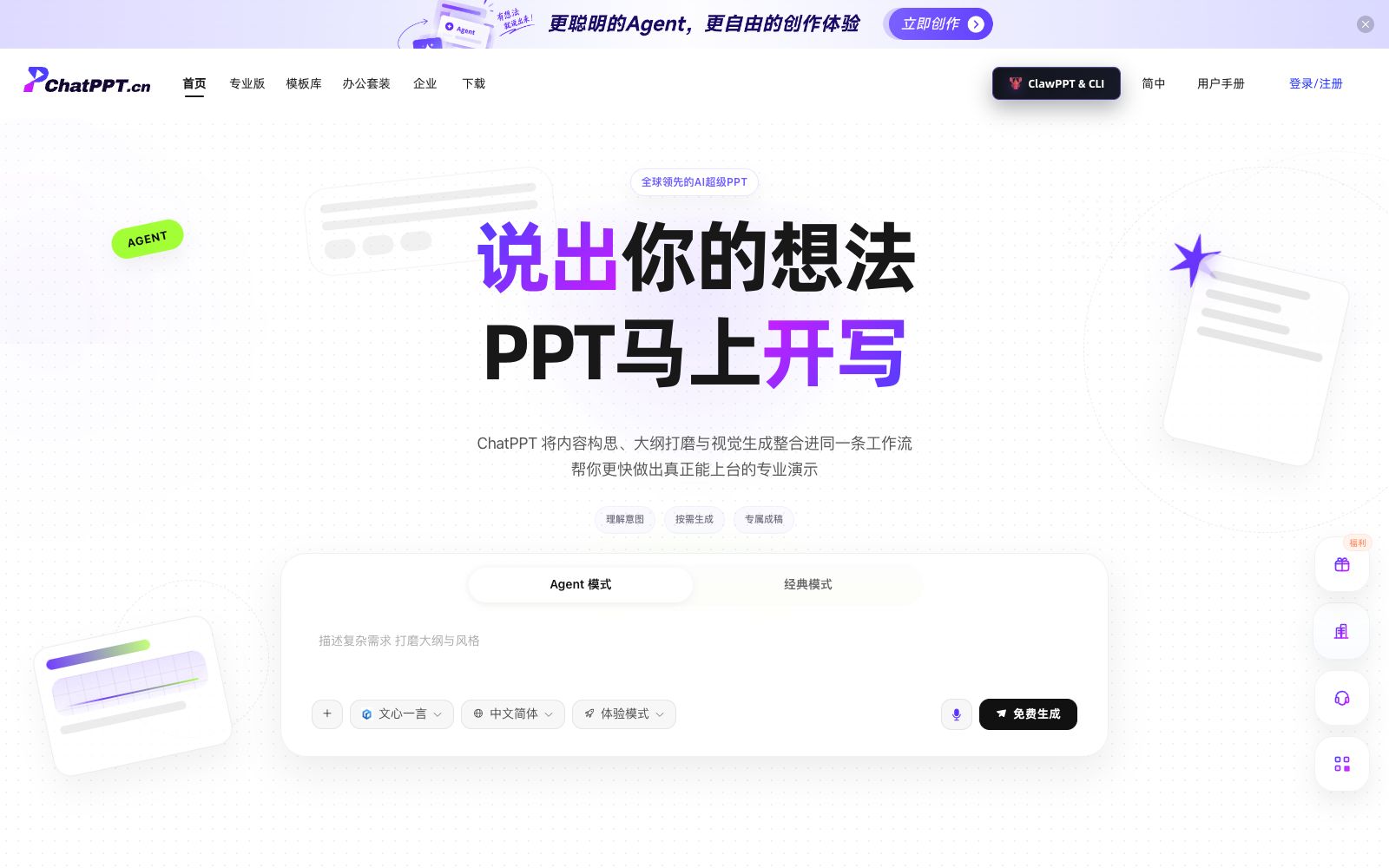
ChatPPT is a team-oriented AI presentation workbench that supports one-click classic generation and Agent collaboration. It can generate well-structured PPTs from themes, documents, web pages and images, making it suitable for business and brand presentations.
Updated: 2026-10-26
What is ChatPPT?
According to its official website, ChatPPT is an "AI Presentation Workspace for global teams", integrating content ideation, outline refinement and visual generation into a single workflow. It also offers two modes: one-click generation for classic presentations and Agent collaboration, emphasizing "clarifying the expression first and then generating deliverable professional presentations".
Who is it for?
- Product and Growth Teams: Create structured presentations for industry trend sharing, market and competitor analysis.
- Financing and Roadshow Teams: Use Agent to quickly turn business narratives into investor-ready presentations.
- Brand and marketing teams: Generate presentation content for brand communication, annual reviews and comprehensive project planning.
- Teachers and trainers: Quickly turn course lectures and knowledge training content into courseware and handouts.
Key features
8Agent Collaboration Mode
Integrate scattered ideas, materials and goals into the Agent workflow, decompose them first and then generate the presentation.
One-click Classic Generation
Input a topic to quickly generate a presentation, reducing the time and energy cost of starting from scratch.
Diverse Inputs
Supports topics, documents (PDF/DOCX/XMIND), web links, image recognition and meeting minute generation.
Logic First
Align the expression outline first, then match the layout and visuals to ensure every slide has substance.
Outline-Driven
Expands steadily in strict accordance with your logical framework, ensuring the structure remains unaltered and undeviated.
Standard PPTX Export
The exported file retains full editability, facilitating formal presentations and allowing for further revisions during team reviews.
Multiple template scenarios
A large number of template scenarios such as business proposals, financing roadshows, government affairs, and social media are built-in.
Trial & Professional Version
The trial mode offers free generation, while the professional version caters to higher-frequency needs.
How to use ChatPPT
- 1Image recognition and web extraction rely on materials; please manually verify the sources of key information.
- 2There are many template scenarios; it is more time-saving to select the closest one and then make fine-tunings than to generate content from a blank topic.
- 3First use the classic mode to quickly create the first version, then use the Agent mode to restructure the outline and key points according to the scenario.
- 4For complex topics, it is recommended to provide an outline first before generation, which makes it easier to obtain a stable structure than pure free creation.
- 5Image recognition and web extraction rely on the quality of materials; please manually verify the sources and facts of key information.
- 6Pay attention to font and master slide compatibility when exporting PPTX files; unify templates during team collaboration to avoid style drift.
- 7Official functions and models (such as Wenxin Yiyan, etc.) may be adjusted; recheck the authorization scope before official commercial use.
Traffic & popularity
Data month Sep 2026
ChatPPT receives about 8.4K visits per month and ranks #3,168,403 worldwide.
Monthly visits
12 monthsTraffic sources
- Search57.5%
- Direct24.5%
- Referrals14.5%
- Social1.4%
- Display ads0.7%
- Other1.4%
Top countries
- China61.9%
- United States13.8%
- Singapore8.2%
- Japan6.3%
- Hong Kong, China5.6%
Estimated from third-party traffic data.
Similar tools
 AiPPTAn intelligent PPT creation tool driven by large AI models, which the official says supports generating a complete and professional PPT in one sentence, converting documents into PPTs in seconds, and offers AI automatic typesetting and polishing as well as a huge number of templates. The official website notes that it has been used by more than 30 million users.
 PreziAn interactive presentation platform for training and teams. Import existing slides or start with a single sentence. Scan the QR code to enable full-scene voting, quizzes and Q&A. Even quiet people will participate. The link remains valid after the event ends.RhetisAI Presentation Workbench, officially said to organize uploaded documents, spreadsheets and existing slides into a narrative structure and editable PPT. The agent is responsible for extracting claims, organizing page order and layout, and it is currently in the Beta stage.
 GenPPTGenPPT is an AI presentation generator that can convert your notes, outlines or PDFs into slides available for meetings and classes. It reviews the outline first before generation, supports editing in conversations and exporting to PowerPoint, PDF and PNG.
 VismeA visual content platform integrating presentations, interactive infographics, design and video, with a built-in AI design assistant. Its official website emphasizes that users without any design foundation can also create professional content and branded materials.
 PopAiOnline presentation generation tool: starting from prompts, PDFs, Word documents, PPTX files or web pages, it first organizes the outline and then generates slides. You can continue to edit and polish them, and export them as PPTX or PDF. Officially, it is said to be completed in one workspace.